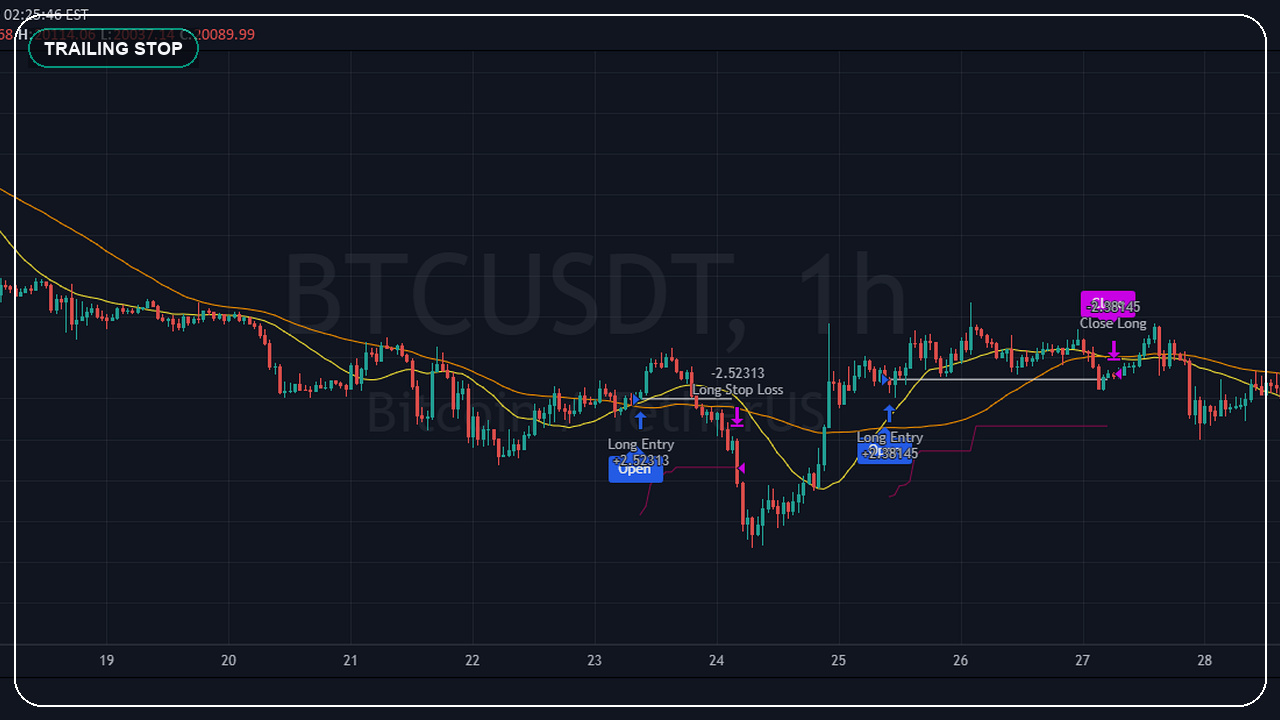
What trailing stop loss in Pine Script actually does
In Pine Script, a trailing stop loss updates the exit threshold as price moves in your favour. The main point is simple: once the trade has enough room, the stop begins following price instead of staying fixed at the original loss point.
That sounds easy until live behaviour shows the hidden choices. You still need to decide whether the trail starts immediately or only after activation, whether the move is measured in ticks or price distance, and whether your expectations come from bar-close logic or from an intrabar broker model.
The reason this topic matters so much is that Pine Script usually feels simple until realtime behavior, confirmation, and live alerts expose the assumptions hidden inside the code. That is where a small parameter or declaration choice can completely change the outcome.
- Trailing logic is an exit-design decision, not just a parameter toggle.
- The backtest only helps if the activation and movement rules are explicit.
- A good trail should match the trader's real holding style and market speed.
- Live expectations matter more than pretty historical equity curves.
Where trailing stop loss in Pine Script usually goes wrong
The usual trap is treating a trailing stop like magic risk control. Traders switch on a trail, see a nicer backtest curve, and never ask whether the strategy is reacting the way the live workflow actually will.
In practice, most problems here are not syntax problems. They are expectation problems. The code technically runs, but the trader expected one runtime behavior and the script delivered another. That is why this topic deserves design-time attention instead of being treated like a small implementation detail.
- Using a trail without knowing when the script recalculates the stop.
- Expecting broker-style intrabar trailing from a conservative bar-close model.
- Mixing fixed SL, breakeven, and trail logic without a clear priority order.
- Letting the backtest hide how noisy the exit becomes live.
How to use trailing stop loss in Pine Script safely in live scripts
The safe pattern is to decide first what the trailing exit should mean operationally. If you want a clean strategy test, use TradingView's strategy exit model with explicit trail settings. If you want a live execution stack later, keep the Pine side honest about confirmation and expected alert timing.
The practical goal is not to make the chart look clever. The practical goal is to make the script behave the same way in live conditions as the trader expects from the finished code. That usually means explicit settings, conservative alerts, and enough instrumentation to debug what actually happened on the bar.
- Define the activation rule before writing the trailing formula.
- Test the trail against the exact timeframe and session you trade.
- Keep the exit readable so you can explain every stop movement later.
- Use bar-close discipline unless you have a tested reason not to.
I rebuild Pine Script exit models so the trail, breakeven, and alert behaviour stay understandable after delivery, not just during the first backtest screenshot.
WhatsApp for a 3-minute quoteWhat to check before you trust the result
Before trusting the trailing logic, check whether the script explains when the trail activates, how often it can move, and whether the alert or execution layer will interpret the exit the same way.
The strongest Pine Script work feels a little boring when it is correct. The alerts line up, the visuals tell the truth, and the backtest or runtime assumptions are explicit enough that you can explain them later. That boring clarity is what you want.
- Verify the initial SL, activation condition, and trail distance all match the plan.
- Check whether the trail can update multiple times inside one live bar.
- Confirm alerts and exits stay aligned when the trade becomes profitable.
- Review losing trades and fast reversals, not only the best examples.
Send the chart idea, broker, market, and goal on WhatsApp. I can usually tell you quickly whether it needs a custom indicator, a strategy audit, an alert fix, or a broker-ready automation layer.
Related services
Frequently asked questions
What is the easiest way to build a trailing stop in Pine Script?
The cleanest starting point is TradingView's strategy exit model with explicit trailing settings, then test whether that behaviour matches your actual execution expectations.
Why does my trailing stop look different live than in the backtest?
Usually the strategy is being interpreted with more intrabar detail in your head than the script is actually using. Confirmation and execution timing matter.
Should a trailing stop replace a fixed stop loss?
Usually no. Most solid systems still define the initial protection first, then decide when and how the trailing logic should take over.
Can I combine trailing stop logic with webhook automation?
Yes, but the alert layer should describe exactly which exit state fired so the execution side does not guess.
Primary sources and references
I take on Pine Script indicators, TradingView automation layers, strategy audits, and broker-aware execution workflows when the goal is clear and the live behavior actually matters.