Can TradingView Place Orders on Zerodha Automatically? How It Works
Can TradingView place orders on Zerodha automatically? Yes, via a webhook bridge and Kite Connect: the chain, daily login, exit-all safety and IP rules.
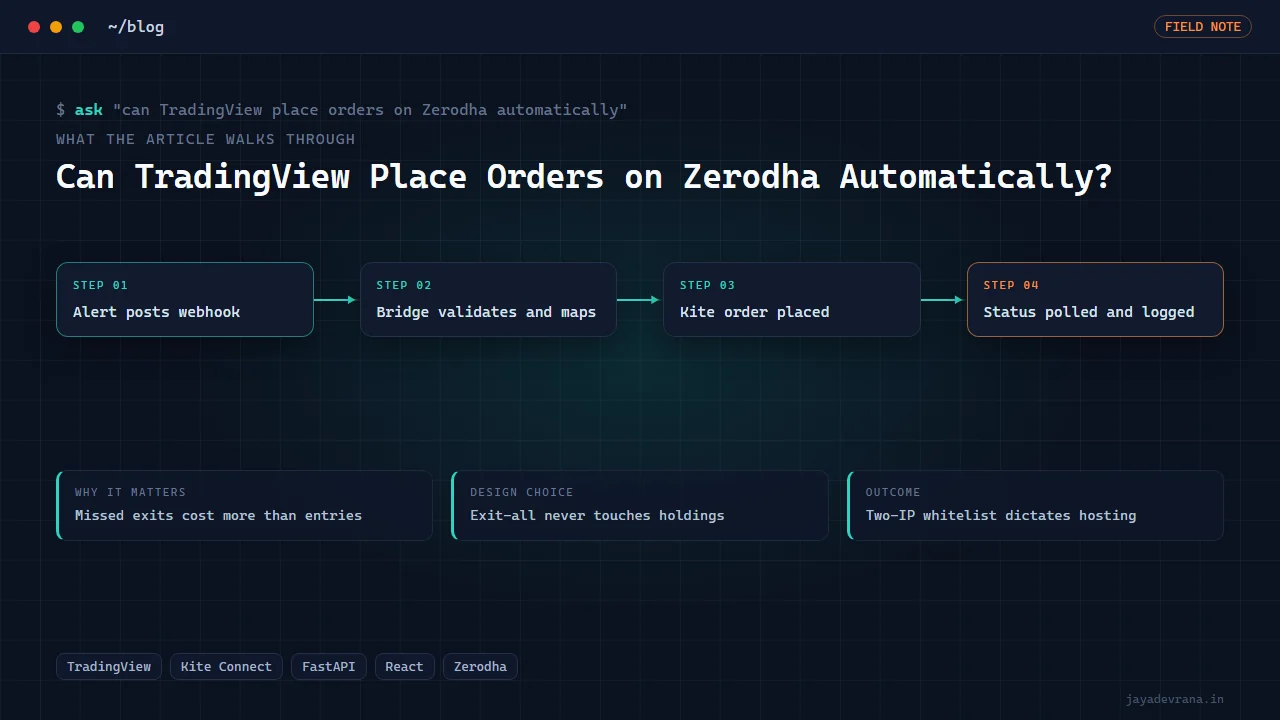
Yes, TradingView can place orders on Zerodha automatically, but not on its own. TradingView has no Zerodha integration; what works is a webhook from a TradingView alert to a small server you run, which authenticates to Zerodha's Kite Connect API and places the order. The server is the product. It handles the once-a-day Kite login, translates your alert message into a Kite order with the right exchange, product type and quantity, and gives you an emergency exit-all control for the day your strategy misbehaves.
Set up correctly, the whole chain from alert to order confirmation runs in well under a second. Set up casually, it fails in the ways Indian intraday traders can least afford: an access token that expired at 6 in the morning, an order rejected because the request came from a non-whitelisted IP, or a strategy that opened a position and then could not close it. This post explains how TradingView to Zerodha automation works end to end, what Zerodha's rules impose on the design, and how I built a platform that does it.
What does Kite Connect actually let a program do?
Kite Connect is Zerodha's official REST API for programmatic trading. With a subscription and an app registered on the developer console, a program can place, modify and cancel orders, read positions and holdings, fetch quotes and historical candles, and stream ticks over a websocket. The documentation is at https://kite.trade/docs/connect/v3/ and is the reference for every field below.
Three constraints shape any automation built on it:
- Daily login. The access token expires every morning. Each trading day a user must complete the Kite login flow, including the two-factor step, and the program exchanges the resulting request token for a new access token. No fully unattended token exists under the standard terms.
- Order fields are explicit. Every order needs the exchange, trading symbol, transaction type, quantity, product (intraday, delivery or margin), order type and validity. An alert message that just says "buy NIFTY" is not enough; the bridge must fill in the rest.
- IP whitelisting. Zerodha ties the API app to a fixed set of IP addresses, allows at most two, and permits one change per week. Orders from any other address are rejected. I wrote about why that single rule dictates your hosting in the static IP requirement for TradingView to Zerodha automation.
Everything else is ordinary engineering around those three facts.
How does an alert become a Kite order?
- Your Pine strategy or indicator fires an alert with a webhook URL and a structured message containing the symbol, action, quantity and an event identifier.
- TradingView POSTs the message to your bridge over HTTPS on port 443.
- The bridge checks a shared secret, rejects duplicates by event identifier, and validates the message against a symbol table that maps the chart ticker to Zerodha's exchange and trading symbol.
- The bridge builds a Kite order with the product type and order type configured for that strategy and submits it with the day's access token.
- Kite returns an order identifier immediately. The bridge then polls or listens for the order status, because placement is not execution; an order can be rejected after acceptance for margin or circuit reasons.
- The result is written to a log the trader can read, and the dashboard reflects the new position.
Latency on this chain is dominated by TradingView's alert dispatch and Zerodha's order gateway; the bridge's own contribution should be milliseconds.
Why is exit-all the most important button?
Because the costly failure in intraday index trading is not a missed entry, it is an exit that did not happen. A strategy can fail to send its close alert for many reasons: the chart was closed, the alert expired, TradingView had an outage, your server rebooted. Meanwhile the position is open and the market is moving. An exit-all control that flattens every open position for the strategy, from a page you can reach on your phone, is the difference between a bad trade and a bad month.
Good exit logic also needs rules about what not to touch. A bridge that flattens "all positions" without distinguishing intraday from delivery can sell holdings you meant to keep. The newer version of my own Zerodha path makes that explicit: exit commands never touch delivery holdings, only the positions the automation opened.
Can it handle reversals and futures positions correctly?
Reversing from long to short on a futures contract needs care. Sending a sell order equal to the long quantity flattens; sending double the quantity reverses in one order but only if the bridge knows the current position accurately. The cleaner design is a flip mode that reads the live position from Kite, computes the quantity needed to close it and open the opposite side, and sends that as one order, so there is never a moment where the account is flat and a second order can fail and leave you out of the market by accident.
Index options add another layer because the instrument changes every week and strike selection has to happen somewhere. That is a different product from a futures or cash bridge and I treat it as one.
Is TradingView to Zerodha automation allowed?
Using Kite Connect to place orders from your own program on your own account is exactly what the API is for, subject to Zerodha's terms and the exchange's algo-trading rules, which have tightened in 2025 and 2026 around retail algos and order-rate limits. Read the current terms yourself and keep order rates well under the thresholds. This post is about engineering, not financial advice; anyone running an automated strategy on Zerodha trades their own account at their own risk, and no bridge changes the quality of the strategy that drives it.
How I built this: TradingView to Zerodha Automation Platform
My TradingView to Zerodha automation platform was built to be handed over and operated, not demonstrated once. It pairs a Python backend with a React frontend, and the design followed the constraints above in this order:
- Webhook intake tuned for latency. A FastAPI endpoint receives TradingView's POST, validates the secret and the message shape, and acknowledges quickly so the slow parts never hold TradingView's connection open.
- Daily token workflow built into the product. The platform expects the once-a-day login and makes it a first-class step rather than a surprise, with the access token stored server-side and the dashboard showing whether today's session is live before the market opens.
- Kite order construction from a strategy profile. Each strategy has a profile holding the exchange, product type, order type and default quantity, so the alert message stays short and the mapping lives where it can be reviewed.
- Exit-all as a protected control. A single action flattens the automation's positions fast, exposed in the frontend behind confirmation, with a documented exit syntax so the same thing can be triggered from an alert.
- Documentation as a deliverable. A setup guide, a testing guide, an exit-syntax guide and the message contracts shipped with the code, because the person operating it at 9:15 in the morning is not the person who wrote it.
- Hardening across releases. Multiple release iterations fixed the failure modes that only live use reveals, which is what "production-oriented" means in practice.
In October 2026 a newer futures path was folded into my multi-tenant alert service, adding the flip entry mode that merges an opposite position into one order, exit and exit-all commands that never touch delivery holdings, a static egress IP for Kite whitelisting, Pine strategy and signal-relay templates, and eighteen dedicated tests inside a 560-test suite. The two-IP, one-change-per-week whitelist rule is why that service runs from a fixed address rather than from a trader's laptop.
The outcome is a path from a TradingView chart to a Zerodha order that a trader can set up from the guides, verify with the testing procedure, and flatten in one action when something goes wrong. If you are earlier in the journey, how to start algo trading in India covers the decisions before the bridge.
FAQ
Do I need a Kite Connect subscription?
Yes. Kite Connect is a paid API subscription separate from your trading account, with the historical-data add-on priced separately. Without it the login flow does not issue the tokens the bridge needs.
Can the daily login be fully automated?
The standard flow requires a user to complete Zerodha's login including two-factor authentication each morning. Platforms make this as quick as possible, typically one page before the market opens, but you should plan for a human step every trading day and a dashboard that tells you whether it has been done.
Can I run the bridge on my home PC?
Only if your connection has a static public IP, which most Indian home broadband does not. Mobile and many fibre lines sit behind carrier-grade NAT with changing addresses, and Zerodha rejects orders from addresses that are not whitelisted. A small cloud server with a fixed IP is the usual answer.
What happens if an order is rejected?
The bridge records the rejection reason Kite returns (margin, circuit limit, invalid quantity, session expired) against the event and shows it on the dashboard. It should not retry automatically; a margin rejection a second later is still a margin rejection, and a retry minutes later may fill at a price the strategy never intended.
If you want this built around your strategy, your instruments and your risk rules, describe it on the contact page.
Building something in this space? I ship trading automation, Pine Script, MQL5 EAs, and full-stack tools with source and docs.
Start a project →