Most people see a trading bot as one file: attach it to MetaTrader, turn on algo trading, and expect it to work. Real automation is not that simple.
This case study explains a recent custom TradingView to MT5 automation build handled by Jayadev Rana. The requirement started with a simple question: can a TradingView idea place trades automatically in MT5? From there, the project became a complete execution workflow involving MT5 pending orders, scheduled start times, recovery sequencing, dashboard visibility, account licensing, VPS testing, and repeated log-based debugging.
The strongest part of the project was not only the final EA. It was the testing loop. The client tested aggressively, shared screenshots and logs quickly, and compared behavior across local MT5, VPS MT5, different symbols, different accounts, spread conditions, and execution windows. That is how automation becomes stable.
The starting requirement
The client wanted an automated trading setup where a strategy idea could move into MT5 without manual order placement. Early discussions covered three important points: TradingView can generate buy, sell, and exit alerts; alerts can be routed through webhook-style automation; and MT5 execution can be handled through an EA or connector layer depending on the broker and final workflow.
Broker compatibility mattered because some brokers are not directly tradable from TradingView. The practical solution was to avoid depending only on direct TradingView broker support and instead design the execution logic around MT5, where the EA could manage orders, state, timing, and recovery steps.
Phase 1: Weekly AO EA
The first major build was the Weekly AO EA. The strategy rules were shared through Excel sheets, screenshots, and repeated WhatsApp clarifications. The EA had to calculate trade levels from weekly market data, including current week high and low, the first 15-minute candle close around UTC market open, small pilot and big pilot modes, quantity calculation, recovery steps, entry levels, stop loss, and targets.
The client was clear about one major rule: the strategy should use pending orders only. There should be no direct market execution in the main sequence. That single requirement changed the EA architecture because every step had to manage order placement, cancellation, fill detection, and next-order sequencing correctly.
The intended pending-order flow
- Place the first buy-side and sell-side pending orders.
- When one side gets triggered, cancel the opposite pending order.
- Place the next recovery or continuation pending order based on the rule table.
- Continue the sequence until target completion or the defined stop condition.
- Cancel remaining pending orders after target completion and wait for the next valid trading day.
On paper that sounds straightforward. In live testing, every edge case matters. A pending order can be filled before the EA tries to cancel it. A recovery cycle can remain open while the UTC day changes. A VPS clock can be slightly different from local testing. A narrow schedule window can make the EA look broken when it simply loaded after the allowed time.
The real work: testing, logs, and fixes
The conversation quickly became a live debugging loop. The client shared feedback through screenshots, MT5 logs, videos, and short messages: order not placed, wrong entry level, wrong SL or TP, quantity mismatch, pending order not cancelled, third order not placed, scheduled time not triggering, dashboard value not visible, and license blocked on account.
Each issue had to be separated into one of three categories: a strategy logic issue, an MT5 or broker execution issue, or a configuration and testing-window issue. That separation is what keeps a complex automation project from turning into guesswork.
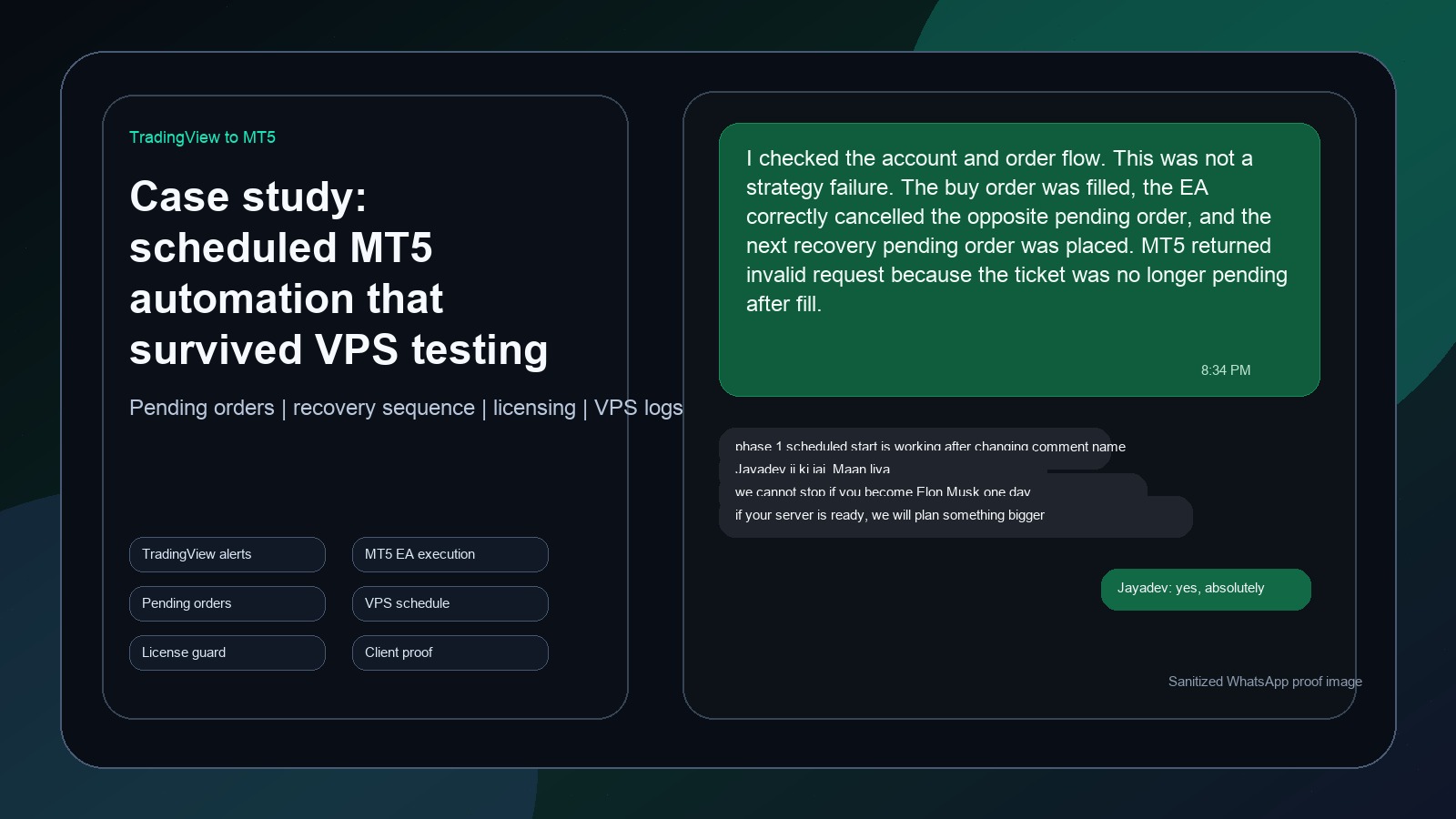
One example looked like a failed cancellation bug. The log showed that the ticket had already been filled before the EA tried to cancel it. That was not a strategy failure. It was a sequencing and log-interpretation issue. Another issue came from the EA recalculating levels after the UTC day changed while an earlier recovery cycle was still open. The fix was to anchor recovery orders to the original cycle levels so the bot would not accidentally mix a new day's values into an old cycle.
Scheduled execution became a real feature
The client needed both instant execution and scheduled execution. That meant the EA needed inputs for instant start, scheduled start time, end time, local or VPS time handling, and one-cycle-per-day behavior.
During testing, some failures came from very narrow time windows. If the start time and end time were too close, the EA could load after the window had already passed. The final guidance was to use a wider execution window and confirm the VPS clock before assuming the EA had failed. Time-based trading logic must be tested like a product feature, not treated as a small input field.
Dashboard, licensing, and handover readiness
The client also needed the EA to look usable for handover. The dashboard had to show important state clearly on the chart: calculation values, status, license state, slippage or deviation values, and enough spacing to be readable during a demo.
Licensing was another handover requirement. The EA needed account-level restrictions so the compiled file could be shared with the intended user but blocked on unauthorized accounts. That changed the project from "make the strategy work" to "make the strategy deliverable." A deliverable automation product needs logic, execution, UI, security, and support clarity.
Phase 2: DWM logic
After Phase 1 became stable enough for continued testing, the client introduced Phase 2. Phase 2 moved beyond current-week calculation and added DWM logic: daily mode using previous day high, low, and close; Monday logic using Friday values; weekly mode using previous week values; and monthly mode using previous month values.
The same execution discipline still applied: pending orders, proper sequencing, correct SL and TP levels, scheduler support, VPS testing, and clean logs. One successful VPS test confirmed that scheduled execution worked: the EA waited for the configured time, calculated levels, placed the initial pending orders, triggered one side, cancelled the opposite side, placed the next pending order, and then cleaned up the test cycle afterward.
The WhatsApp proof and client trust
During the debugging process, one WhatsApp exchange became a strong proof point. After an explanation of why a pending order cancellation returned an invalid request, the client confirmed the scheduled phase was working and joked that if Jayadev Rana became like Elon Musk one day, nobody should stop him. The important point is not the comparison itself. The important point is what created that confidence: fast explanation, clear logs, and a system that kept improving after every test.
For privacy, the image used in this post is a sanitized proof-style recreation based on the WhatsApp discussion. Account IDs and order tickets are masked or generalized. The purpose is to show the nature of the support and debugging loop without exposing sensitive client details.
What this project proved
The biggest takeaway is that trading automation is not just coding a strategy. It is a complete execution system. A production-ready EA needs accurate calculation logic, broker-aware execution handling, clear pending-order sequencing, protection against day-change recalculation bugs, safe cancellation logic, scheduler reliability, readable dashboard output, licensing controls, VPS-level testing, and fast support during live validation.
The client relationship also became collaborative. The client tested aggressively, shared logs quickly, compared behavior across machines, and helped validate each version. That feedback loop made the final system stronger.
Final thought
Automated trading projects succeed when the developer treats every screenshot, log line, and failed order as useful information. The goal is not just to deliver an EA file. The goal is to deliver confidence: that the logic is understood, the edge cases are handled, the system can be tested, and the client can explain it clearly during handover.
That is the difference between a trading script and a trading automation product.
Ask Jayadev Rana to build or stabilize your TradingView to MT5 automation system
Send the chart idea, market, timeframe, and goal on WhatsApp. I can usually tell you quickly whether the next step is a custom Pine Script build, a strategy audit, or a broker-ready automation layer.
Related services
Frequently asked questions
Can TradingView automate MT5 directly?
TradingView usually needs an alert, bridge, connector, or MT5 EA layer depending on the broker and execution setup.
Why are pending orders harder than market orders?
Pending-order systems need fill detection, opposite-order cancellation, recovery sequencing, expiry logic, and broker response handling.
Can Jayadev Rana debug an existing EA?
Yes. Send the EA behavior, screenshots, MT5 logs, broker details, VPS setup, and the exact rule that is failing.
Primary sources and references
I take on Pine Script indicators, TradingView automation layers, strategy audits, and broker-aware execution workflows when the goal is clear and the live behavior actually matters.