What Is an MCP Server and How Is It Used for Trading? (Plain Answer)
What an MCP server is and how it is used for trading: typed tools an AI agent calls to search symbols, pull bars, check scripts, backtest and set alerts.
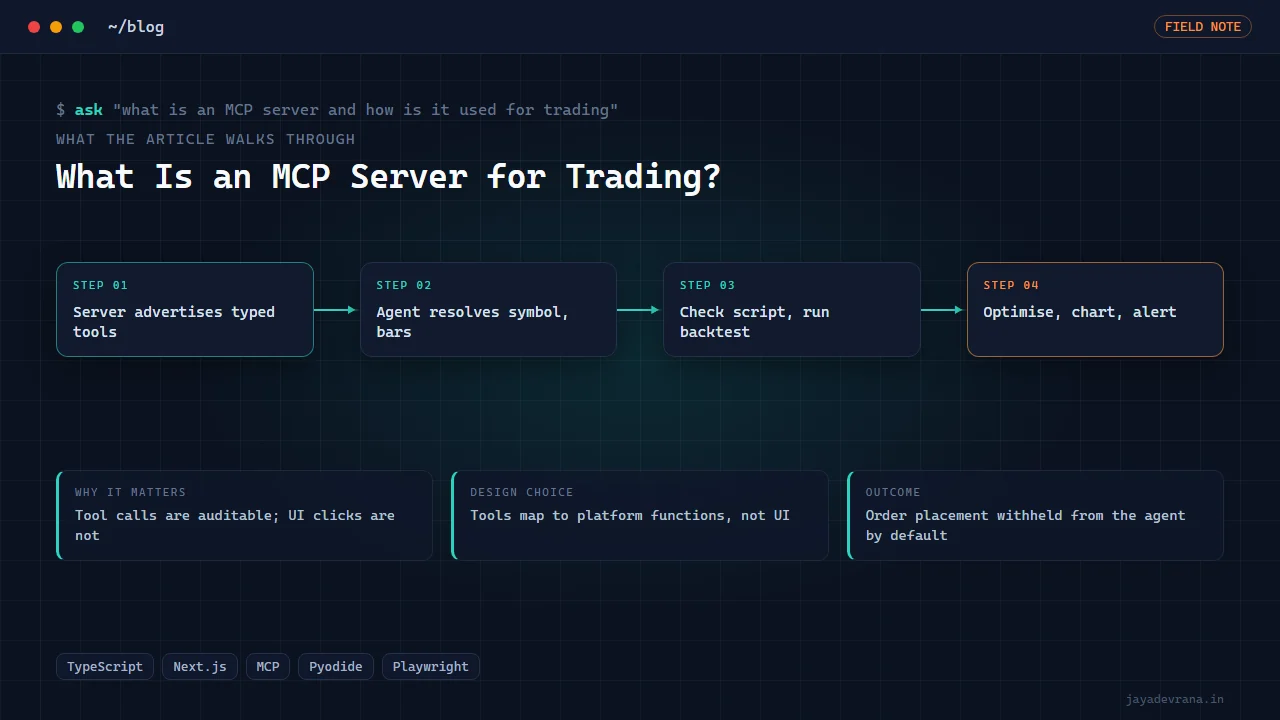
An MCP server is a small program that exposes a set of named tools, each with a description and a typed input schema, over the Model Context Protocol so that an AI agent such as Claude can discover and call them. For trading, an MCP server wraps the things a trader does by hand in a platform, searching for a symbol, pulling historical bars, checking whether a script compiles, running a backtest, optimising parameters, taking a chart image, creating an alert, and turns each into a tool the agent can invoke in sequence while it reasons about the result. The agent does not get access to your screen or your broker; it gets exactly the tools the server offers, nothing more.
I run one of these in production: my browser charting platform ships an MCP server with tools for symbol search, bars, script checking, backtesting, optimisation, chart images and alerts, and I use it daily to let an agent build and test Pine-compatible scripts without me clicking through the interface. This post explains what an MCP server for trading is, what it is good at, where its boundaries are, and how mine is built. For the live-trading part: the server can connect to brokers, and anything that places orders is engineering offered as a tool, not advice; accounts are traded at their owner's risk.
What does the Model Context Protocol actually standardise?
Three things. First, a way for a server to advertise its tools: a list of names, human-readable descriptions and JSON schemas describing the inputs. Second, a way for a client (the agent's host application) to call a tool with arguments and receive a structured result, text, data or an image. Third, a transport, typically standard input and output for local servers or HTTP for remote ones, so the same server works with any compliant client.
The point of the standard is that a tool written once is usable by any agent host that speaks the protocol, in the same way a USB device works on any computer. Before MCP, every agent integration was bespoke. The specification lives at https://modelcontextprotocol.io.
How does an AI agent use trading tools through MCP?
The host application starts the server, reads its tool list and includes those descriptions in the agent's context. When you ask the agent for something, it decides which tools to call and in what order, reads each result and continues. A typical exchange in my setup:
- You ask for a 20/50 EMA crossover strategy tested on gold, hourly, last two years.
- The agent calls the symbol search tool to resolve "gold" to the exact instrument.
- It writes the strategy script and calls the script check tool, which returns compile errors if any; it fixes them and checks again.
- It calls the backtest tool with the script, symbol, timeframe and date range, and reads back the trade list and statistics.
- It calls the optimiser tool to sweep the two periods, receives a ranked table, and reports the result with the caveats it has been told to include.
- If asked, it calls the chart image tool so you can see the strategy on the chart, or the alert tool to set a webhook alert on the final script.
Each step is a tool call with a visible input and output, so the whole session is auditable afterwards. The agent never types into a UI; it talks to the platform through the same functions the platform uses internally.
What tools belong in a trading MCP server?
The useful set is smaller than people expect. Mine exposes:
- Symbol search, because the agent must resolve human names to exact tickers before anything else.
- Get bars, historical candles for a symbol and timeframe, which is the raw material for any analysis.
- Check script, a compile and static check for Pine-compatible code, returning errors with line references.
- Run backtest, which attaches a strategy to data and returns trades and statistics.
- Optimise strategy, a parameter sweep across engines with a ranked result.
- Chart image, a rendered chart with the script applied, for the agent or the user to look at.
- Alerts, create, list and remove price or script alerts, including webhook delivery.
- Broker setup guidance and connection listing, so the agent can explain how to connect an account and see what is connected.
What I deliberately leave out of the agent's reach by default is anything that places an order unsupervised. The tools exist on the platform side; whether the agent may call them is a policy decision, and the right default is no.
Why is an MCP server better than letting the agent click the UI?
Because clicking is fragile and unobservable. Driving a user interface means screenshots, coordinates, waiting for elements, and failures that look like success. A tool call has a typed input, a typed output and an error path. When the backtest tool returns a profit factor, the agent has the number, not a picture of the number. When the script check fails, it has the line and the message.
There is also a safety argument. A UI-driving agent can do anything the UI can do. An MCP server offers exactly the tools you chose, with exactly the arguments you allow, which makes it far easier to reason about what an agent could possibly do during a session. I have built both kinds, including an agent that drives TradingView Desktop over its debugging protocol when no API exists, and the MCP route is the one I reach for whenever I control the platform. For the platform choice question behind many of these agent setups, how to start algo trading in India covers the broker and data side.
Can an MCP server connect to a broker and trade?
Technically yes, and my platform has broker connections behind the same architecture, with a circuit breaker on the live data feed and connections listed through a tool. But the design question is who may call the order path. My rule is that an agent gets read tools and research tools freely, alert creation with confirmation, and order placement only in a mode where every call round-trips to a human. The protocol supports that kind of gating cleanly because each tool is separately exposed; a research-only server simply does not list the order tools.
How I built this: SuperCharts
SuperCharts started as a local-first browser charting terminal and is now live as SuperCharting, a platform with Pine-compatible scripts, a strategy tester, an optimiser, a screener, bar replay, webhook alerts, live Indian equity and derivatives data through a broker feed with a circuit breaker, broker connections and a Pilot chat panel. The MCP server is the piece that lets an agent operate all of that. The build, in sequence:
- Platform first. A TypeScript Next.js monorepo with multi-pane charts, order-flow and footprint views, a scripting layer, alerts and backtesting, plus a sibling package for embedding charts elsewhere. The local-first stance means layouts, scripts and data stay on the user's machine.
- Script engine. A Pine-compatible interpreter so that existing v5 and v6 scripts run, with a check step that returns errors before anything is attached to a chart.
- Tester and optimiser. A strategy tester on the same engine, and an optimiser that distributes runs across eight in-browser Python engines; a benchmark of 443 EMA-cross backtests completed in 115 seconds.
- MCP server. Each internal capability was wrapped as a tool with a schema: search symbols, get bars, check script, run backtest, optimise strategy, chart image, and create, list and remove alerts, plus broker setup guidance and connection listing. The server validates arguments and returns structured results the agent can reason over.
- Pilot panel. A chat panel inside the platform that uses the same tools, so a user can ask for a script and watch it appear, compile and backtest without leaving the chart.
- Launch and verification. Demo stills and videos were recorded with Playwright against the live server, and the platform launched publicly in October 2026.
The design decisions that matter: tools map to platform functions, never to UI actions; the script check exists as its own tool so the agent fixes errors before spending a backtest; the optimiser runs locally in the browser so a sweep does not depend on a cloud queue; and order placement is not something the agent gets by default. The outcome is a charting platform an agent can drive end to end for research, with a human still holding the order path.
FAQ
Do I need to know how to code to use an MCP server for trading?
To use one, no; you talk to the agent in plain language and it calls the tools. To build one, you need to write the tool wrappers around whatever platform or API you want to expose, which is ordinary back-end programming.
Is MCP specific to Claude?
No. It is an open protocol and several agent hosts support it. Servers written for one compliant client work with others, which is the reason to prefer it over a bespoke integration.
Can an MCP server replace TradingView?
For research workflows, a platform with its own script engine, tester and MCP server can do what most people use TradingView for, and the agent makes the loop faster. TradingView's community scripts and social features are a different product. I still use both.
Is it safe to give an AI agent access to trading tools?
It is as safe as the tool list you expose. Read-only and research tools carry no account risk. Alert creation is low risk. Order placement should require a human in the loop, and the cleanest way to enforce that is to not list the order tools in the server the agent sees.
If you want an MCP server built around your own platform, data or research workflow, tell me about it on the contact page.
Building something in this space? I ship trading automation, Pine Script, MQL5 EAs, and full-stack tools with source and docs.
Start a project →