TV Pilot: Claude Code Driving TradingView Desktop
A desktop app where an AI agent writes, compiles and backtests Pine inside the user's real TradingView over the Chrome DevTools Protocol.
Electron shell plus a custom MCP server that controls TradingView Desktop via CDP, with safe/build/backtest/full tool policies, live sweep leaderboards and an early-access demo video.
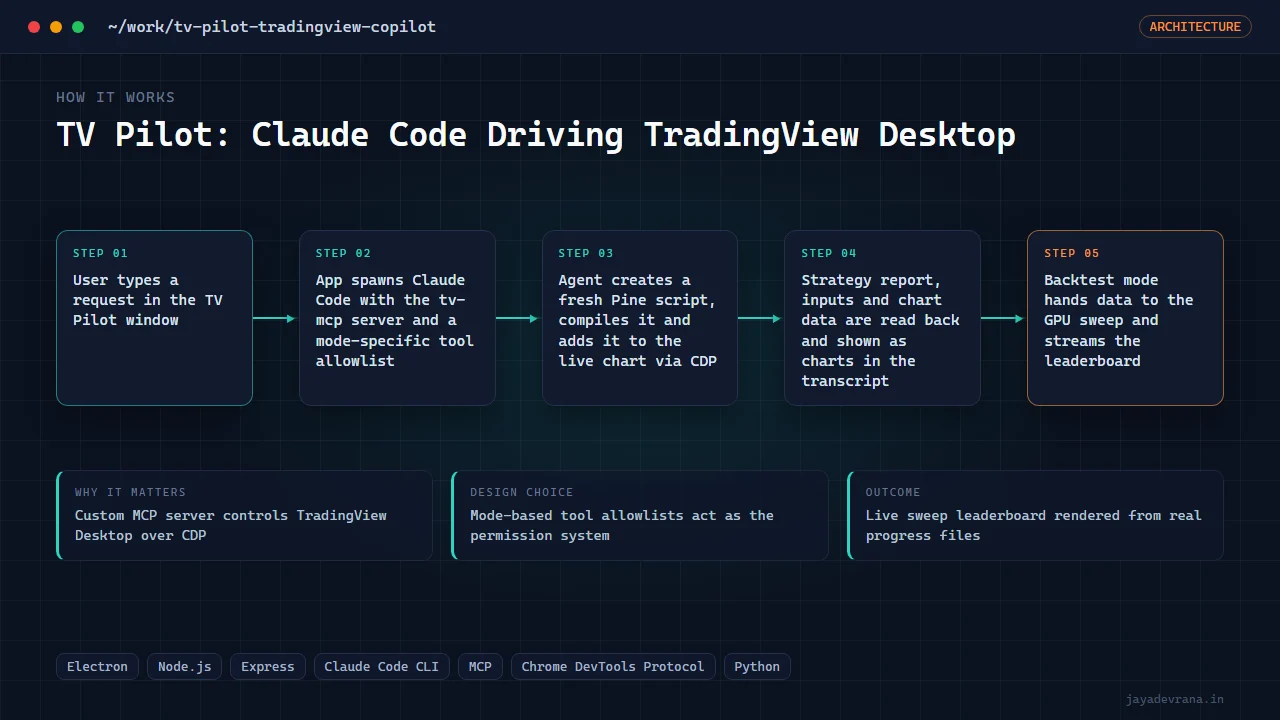
- Custom MCP server controls TradingView Desktop over CDP
- Mode-based tool allowlists act as the permission system
- Live sweep leaderboard rendered from real progress files
- Demo: 2.45B systems in 4.3 minutes, Pine delivered and tester-matched
TV Pilot lets a trader describe an idea in plain English and watch it appear on their own TradingView chart, compiled, attached and backtested, without leaving the app. It is an Electron window around an Express/SSE server that spawns the real Claude Code CLI with a strict MCP configuration; the custom tv-mcp server speaks raw CDP to TradingView Desktop. Discovering that the Store build accepts a remote-debugging port on a fresh launch corrected an earlier belief that the desktop app was unreachable.
The hard engineering is in the editor plumbing: creating a new script without touching the user's open draft (real key chords, React onClick handlers rather than synthetic clicks), reading strategy reports and study inputs through TradingView's internal API, and never sending Escape to the Pine editor. Tool policy is per mode; in backtest mode the app runs the billion-system GPU sweep and streams a live leaderboard into the UI, verified on 21,936 bars of gold with the Strategy Tester matching the engine within 0.15 percent.
An 8-minute 4K early-access demo shows four real runs: text to strategy, a 2.45-billion-system sweep, a screenshot turned into a similar indicator, and a technical-analysis read with entry, stop and targets.
How it works
- User types a request in the TV Pilot window
- App spawns Claude Code with the tv-mcp server and a mode-specific tool allowlist
- Agent creates a fresh Pine script, compiles it and adds it to the live chart via CDP
- Strategy report, inputs and chart data are read back and shown as charts in the transcript
- Backtest mode hands data to the GPU sweep and streams the leaderboard