AI Studio: Avatar Video Pipeline with Fact and Advice Gates
A nine-subsystem pipeline that produces AI-presented trading videos by retalking a plate instead of generating a face, with fail-closed verification gates.
Research, script, voice, face, screen, graphics, assemble, QC and a skill wrapper; retalking cut an 8-minute face render from ~8.7 hours to tens of minutes; a numeric verifier and an advice classifier gate every episode.
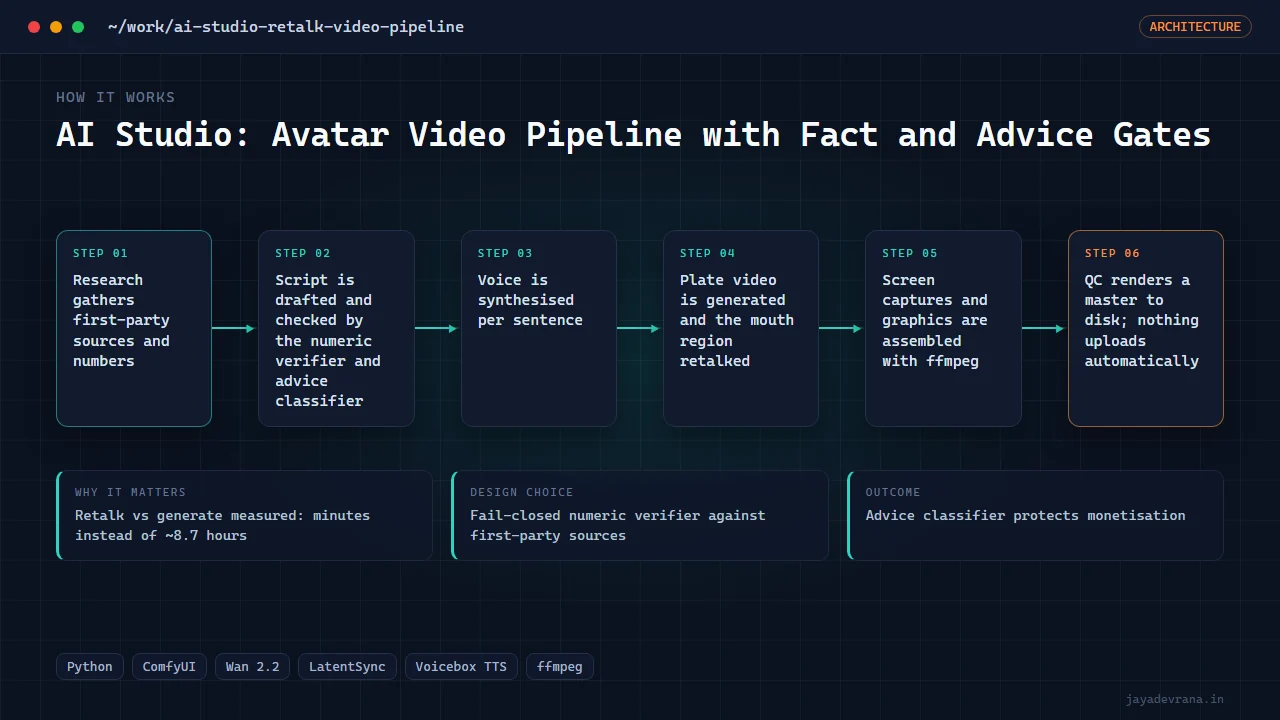
- Retalk vs generate measured: minutes instead of ~8.7 hours
- Fail-closed numeric verifier against first-party sources
- Advice classifier protects monetisation
- LatentSync patched for torch 2.13 including the silent-VAE bug
AI Studio produces one long-form video and three shorts per run on the AI-and-trading beat, with a photo-based presenter and no desk time from me. It is organised as nine subsystems from doctor and research through script, voice, face, screen capture, graphics, assembly and QC to a skill wrapper, documented in a design spec under version control.
The decision that reframed the project was measured: full talking-head generation cost about 260 seconds of compute per second of output on the available GPU, so an 8-minute face would take roughly 8.7 hours. Retalking (a generated plate with mouth-region inpainting via LatentSync) takes tens of minutes and looks more photoreal because most of each frame remains untouched plate pixels. Getting LatentSync running on a current PyTorch stack required four patches, one of which prevents a silent VAE failure that renders mouths as rainbow noise.
Two blocking gates make unattended operation safe: a fail-closed numeric verifier that requires every number to appear verbatim in a first-party source, and an advice classifier, because a synthetic presenter giving financial advice is non-monetisable and enforced at channel level. Voice, screen and assembly stages were working with a first master render produced.
How it works
- Research gathers first-party sources and numbers
- Script is drafted and checked by the numeric verifier and advice classifier
- Voice is synthesised per sentence
- Plate video is generated and the mouth region retalked
- Screen captures and graphics are assembled with ffmpeg
- QC renders a master to disk; nothing uploads automatically