Is There a Desktop Trading Terminal for Zerodha Like MT5? I Built One
Is there a desktop trading terminal for Zerodha like MT5? Not officially. How I built an MT5-style Windows terminal on Kite Connect, paper trading by default.
Zerodha does not ship a desktop trading terminal like MetaTrader 5. Kite is a web and mobile application, and the official route to anything else is Kite Connect, the paid developer API that lets you pull instruments, historical candles, quotes and place orders from your own software. So the honest answer to "is there a desktop trading terminal for Zerodha like MT5" is: not from Zerodha, but you can build one on Kite Connect, and the MetaTrader workflow of charts, a market watch, a strategy tester and a paper account maps onto it cleanly.
I built exactly that. Zerodha Workstation is a Windows desktop terminal written in Python and Qt that takes the MT5-style workstation I had already built for a different data layer and swaps in Kite Connect for instruments, history and orders. This post covers what the API can and cannot give you, the small details that break naive implementations, and why the trading model is deliberately conservative. It is engineering, not financial advice; whatever you trade on your own account is your own decision and risk.
What does Kite Connect actually provide for a desktop terminal?
Enough for a serious terminal, with limits you must design around:
- An instruments file covering NSE, BSE and the derivatives segment, refreshed daily, which gives you symbol search across exchanges.
- Historical candles by instrument and interval, served in chunks capped per request, so longer histories need several calls.
- Quotes and market depth over REST, plus a streaming socket for live ticks.
- Order placement, modification and cancellation, and order and position books.
- A login flow that happens in the browser: your app opens Zerodha's login page, the user authenticates, and Zerodha redirects to a URL you own with a one-time token.
What it does not provide: higher timeframes beyond the daily (four-hour, weekly and monthly must be built locally), any backtesting facility, or an EA-style automation runtime. Those are the parts you build. The official documentation at https://kite.trade/docs/connect/v3/ lists the current limits.
How do you handle login and credentials safely on a desktop app?
An MT5 user types a login and password once and the terminal remembers them. On Kite Connect the equivalent is the API key and secret, and a daily access token that expires. My approach:
- The user enters their own API key and secret, which are stored encrypted with Windows' built-in data protection so they are readable only by that Windows user on that machine.
- Authorisation opens Zerodha's login page in the default browser.
- A one-shot local callback server catches the redirect, exchanges the request token for the day's access token, and shuts down.
- The provider then polls REST within Zerodha's rate limit, backing off automatically.
No credentials are typed into the app's own windows beyond the initial key entry, and nothing is stored in plain text.
How do you get MT5-style charts with weekly and four-hour bars?
History is requested in chunks sized to Kite's per-request cap for each interval, walked backwards until the chart has what it needs, and cached locally. Higher timeframes are then merged from the base intervals: four-hour from hourly, weekly and monthly from daily, with the session boundaries that Indian markets actually use rather than midnight-to-midnight. Merging locally also means the chart can show timeframes the API does not serve at all.
One detail that breaks naive implementations: index instruments report a tick size of zero in the instruments file. Any price-step logic (grid lines, order rounding, pip-style calculations) divides by zero or produces nonsense. The app substitutes the real tick size for indices.
Why is the terminal paper-first, and how does live trading get enabled?
A terminal that can place real orders needs a trading model you would defend to a stranger. Mine is:
- A paper account with simulated leverage is the default. Every order goes to a local paper book unless live trading is explicitly on.
- The Live Trading toggle requires typing the word LIVE, not clicking a checkbox.
- Even with live trading on, only manual orders from the order ticket go to Zerodha. Automated strategies (the EA equivalent) and the strategy tester stay on paper permanently.
This is stricter than MT5, where an EA can trade a live account with a single setting. For a terminal most people will use to learn and test, I think that is the right default, and it is the reason I am comfortable sharing the project.
What does the MT5-style workflow look like on Kite data?
The parts MetaTrader users miss most on a browser platform are the ones the terminal reproduces: a market watch docked beside the charts with one-click symbol switching, multiple chart windows with saved templates, an order ticket that remembers the last quantity and order type per symbol, and a terminal panel at the bottom with the paper account's positions, orders, history and a journal of every action. The strategy tester runs a simple automation against cached history on the paper account and reports fills, equity and drawdown in the same panel, so a user can go from idea to a paper result without leaving the window. Keyboard shortcuts mirror MetaTrader's where that made sense, because muscle memory is the whole reason someone wants this instead of the web app.
Can you test the terminal without touching a real Zerodha account?
Yes, and you should. The test suite runs against a local mock Kite server that imitates the login flow, the instruments file, chunked history and the order endpoints. Every test passes without a network connection and without a real API key. The mock is also how I reproduce rate-limit behaviour and malformed responses that would be hard to trigger on demand against the real service.
How I built this: Zerodha Workstation, an MT5-style desktop terminal on Kite Connect
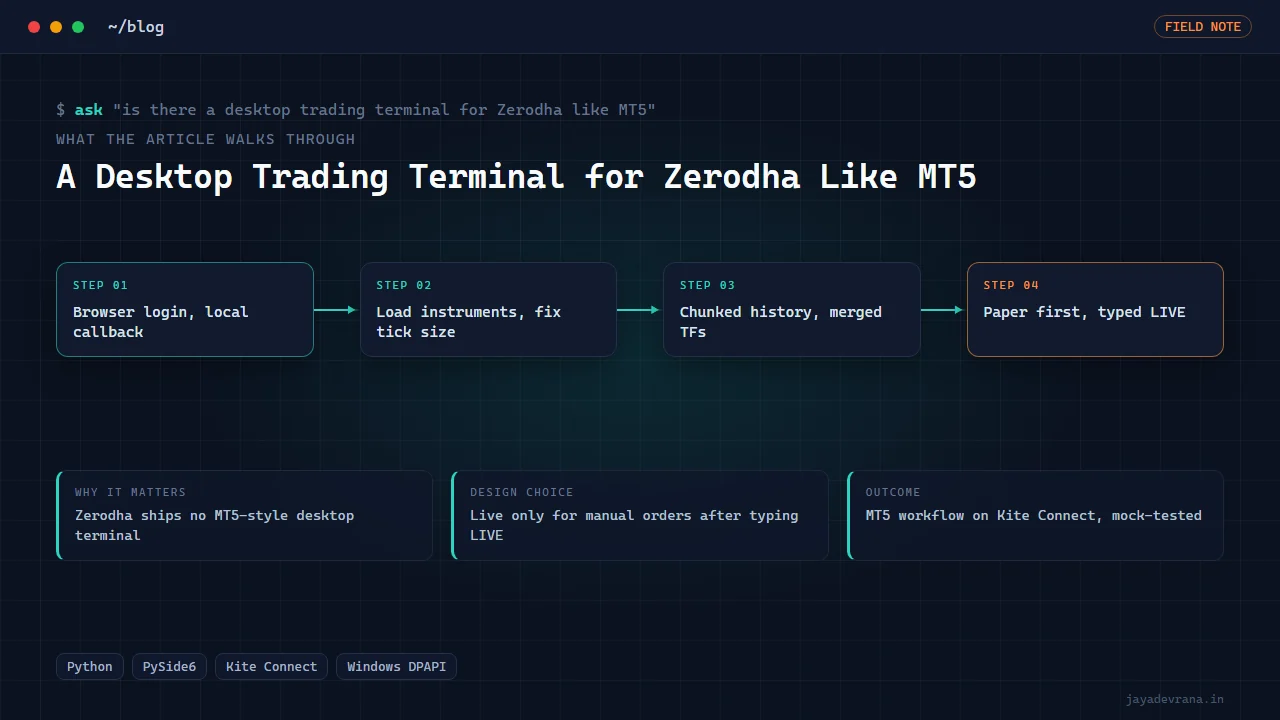
Zerodha Workstation is the Kite Connect version of a Python and PySide6 desktop terminal I had already built with an MT5 look and feel. The workflow a user goes through is:
- Enter your own Kite Connect API key; the app stores it under Windows data protection, opens the Kite login in the browser and completes authorisation through a one-shot local callback.
- Instruments load for NSE, BSE and the derivatives segment, and the market watch resolves symbols across exchanges, with the index tick-size correction applied.
- Charts pull chunked history within the per-request caps and merge four-hour, weekly and monthly bars locally.
- Orders from the ticket go to the paper book by default; typing LIVE routes manual orders to Zerodha.
- Automated strategies and the tester remain paper-only regardless of the live toggle.
- The test suite exercises all of this against a local mock Kite server.
Design decisions: reuse a proven workstation shell and change only the data and order layer, encrypt credentials with the operating system rather than a custom scheme, build higher timeframes locally, and gate live trading behind a typed confirmation with automation excluded. The outcome is the desktop terminal Zerodha users who like the MetaTrader workflow have been missing, shared as engineering work. The MT5-flavoured sibling is my white-label MT5-style workstation, and if you are deciding between brokers for automation in India, my broker comparison covers the trade-offs.
FAQ
Do I need a Kite Connect subscription to use a terminal like this?
Yes. Kite Connect is a paid API product from Zerodha, and historical data is a separate add-on. The terminal uses your own key; nothing is shared or proxied through anyone else's account.
Can it run strategies automatically on a live account?
By design, no. Strategies and the tester run on the paper account only. Live mode covers manual orders from the ticket. If you want fully automated live execution, that is a different product with a different risk model, like the webhook bridges I build for clients.
Does it support options chains and futures?
Instrument search covers the derivatives segment, so futures and option contracts can be charted and paper-traded like any other symbol. A dedicated option-chain view is on the roadmap, not in the current build.
Why Windows only?
The credential encryption uses a Windows facility and the shell was built for Windows users coming from MetaTrader. The Qt layer is cross-platform, so a Mac or Linux build would mainly need a different credential store.
If you want a desktop terminal like this built on your broker's API, tell me about it on the contact page.
Building something in this space? I ship trading automation, Pine Script, MQL5 EAs, and full-stack tools with source and docs.
Start a project →