How to Build a Local Jarvis Voice Assistant With Barge-In (2026 Stack)
How to build a local Jarvis voice assistant: browser VAD, Whisper, a Claude Code or Ollama brain with tools, per-sentence streamed TTS and instant barge-in.
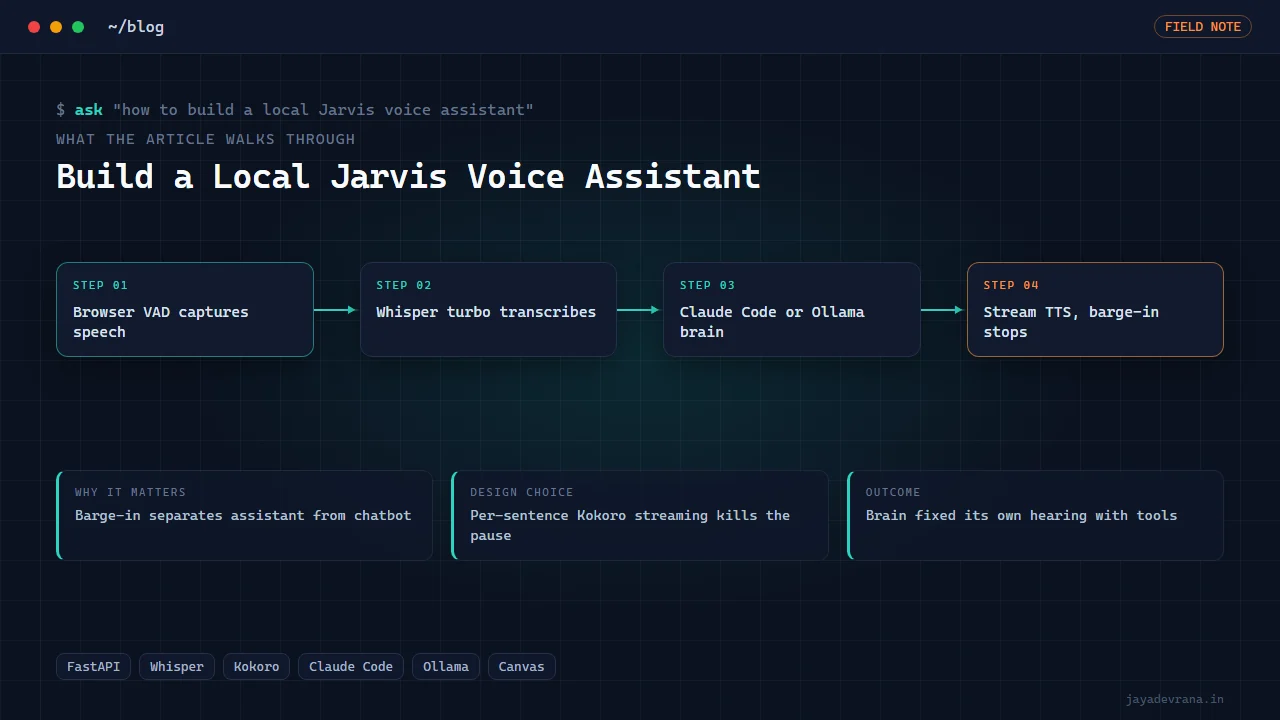
To build a local Jarvis voice assistant you chain five pieces: always-on voice activity detection in a browser page so there is no push-to-talk, a speech-to-text endpoint running Whisper on your own machine, a "brain" that answers in spoken style and can actually do things (either a Claude Code session with tools or a local model through Ollama), a text-to-speech engine that renders each sentence as soon as it is written, and a playback layer that stops the instant you start speaking. That last behaviour, barge-in, is what separates a film-style assistant from a chatbot with a voice; without it you sit through every answer to the end.
I built this in two phases on a Windows workstation, first as a HUD that delivers task briefings in a film-AI voice, then as a full conversational assistant with barge-in, a brain that has tool access and once fixed its own hearing by downloading a better speech model. Here is the architecture piece by piece, the decisions that made it feel responsive, and the one hardware-level constraint that forces a browser into the loop.
Why does a local voice assistant need voice activity detection?
Because a wake word and a push-to-talk button both interrupt the conversation. Voice activity detection (VAD) runs continuously on the microphone, decides when speech starts and ends, and sends only the speech segments onward. Running it in the browser has two advantages: the browser's audio stack already handles microphone capture and echo cancellation, and a small VAD model runs comfortably in a page with low latency.
The pipeline on the capture side:
- The page opens the microphone and feeds audio frames to the VAD model.
- When the model's speech probability crosses the start threshold, recording begins.
- When it falls below the end threshold for a short silence window, the segment is cut and posted to the server.
- At the same moment speech starts, the page tells the playback layer to stop, which is the barge-in signal.
Tuning the silence window is the main art. Too short and the assistant answers mid-sentence; too long and it feels sluggish. Around half a second to a second worked for conversational speech.
Which speech-to-text model is good enough for a Jarvis?
Whisper, run locally through a small HTTP endpoint, but the model size matters more than people expect. My first version used a base model and misheard constantly; the assistant was answering questions I had not asked. Pinning the endpoint to the large-v3-turbo model fixed it: accuracy close to the full large model at a fraction of the latency, which on a consumer GPU means a sentence is transcribed in well under a second.
The anecdote that convinced me the brain was more than a chatbot: when I asked the assistant to fix its own hearing, it diagnosed the small model, downloaded the turbo weights and switched the endpoint to use them, unattended. That is only possible because the brain has real tool access, covered next.
What should the brain of a local voice assistant be?
Two choices, and I run both behind one switch:
- Claude Code continuing a single session with a persona prompt. This is the strong option: the assistant can read and write files, run commands, check on jobs and report back, and the persistent session means it remembers the conversation. The persona prompt keeps answers short, spoken and in character.
- A local model through Ollama. Fully offline, faster for small talk, no API dependency. Weaker at tool use and long reasoning, which is fine for "what is on my calendar" and poor for "why did the overnight render fail".
The brain is asked to answer in spoken style: no lists, no markdown, short sentences, because every sentence is about to become audio. It is also told that it has tools and should use them rather than describe what it would do. That instruction is the difference between an assistant that says "you could check the log" and one that checks it.
How do you make the voice respond without a long pause?
Stream per sentence. Waiting for the whole answer, then synthesising the whole answer, then playing it produces a dead gap of several seconds. Instead:
- The brain's output is split into sentences as it streams.
- Each sentence is sent to the TTS engine as soon as it is complete.
- Each rendered clip is pushed to the page and queued for playback as it arrives.
- The first sentence is usually playing before the brain has finished the second.
The TTS engine is Kokoro through a headless Voicebox server, which renders a sentence in a fraction of its spoken length on a GPU. The character voice is a British-accented preset, pitched down slightly and given a touch of echo for the film-AI feel. If you want the human-sounding end of this spectrum for narration rather than a character, per-sentence rendering with varied pauses is the same technique.
How does barge-in actually work?
Barge-in is the coordination of three things when the VAD detects new speech: the playback queue is flushed and the current clip stopped, any sentences still rendering are discarded, and the brain's current generation is cancelled if it is still streaming. Skipping any one of them produces a ghost: the assistant goes quiet but then resumes a sentence from the abandoned answer ten seconds later.
The page owns the playback queue, so it can stop instantly on a local signal without a server round trip. The server owns the generation and rendering, so the page sends a cancel message in parallel. Getting this right is most of what makes the assistant feel like it is listening.
How I built this: JARVIS/ULTRON: Barge-In Voice Assistant with a Live HUD
The JARVIS/ULTRON assistant was built in two phases on Windows, and the second is the one that answers this post's question:
- Phase one, the HUD. A self-contained HTML page with an audio-reactive canvas, a mission log and subtitles, voiced by a British-accented Kokoro preset through a headless Voicebox server, used to deliver task briefings like a film AI. "Real-time video" here means a live 60 frames-per-second canvas, not generated video.
- Capture. A browser page with always-on voice activity detection posts speech segments to a FastAPI server and raises the barge-in signal the instant speech begins.
- Transcription. A Whisper endpoint pinned to large-v3-turbo after the base model misheard.
- Brain. Either Claude Code continuing one session under a persona prompt with tool access, or a local Ollama model, selected by a switch. The brain has created files unattended and, when asked, downloaded and activated the turbo speech model to fix its own hearing.
- Voice. Per-sentence Kokoro synthesis streamed to the page as clips finish, pitched down and echoed for the character.
- HUD. A 380-node orange brain point cloud with firing synapses that frenzies while the brain is thinking and pulses with the voice during playback.
- Barge-in. Playback stops the instant the user speaks; pending renders and generation are cancelled.
Two constraints shaped the design. The microphone requires a real browser on a secure origin, so the capture layer is a page rather than a native process, and every path has a text fallback for when a microphone is unavailable. And the dual brain exists because the right answer differs by task: tools and memory for real work, a local model when offline speed matters more. The outcome is an assistant with no push-to-talk that interrupts cleanly, answers in character, and does actual work on the machine rather than describing it. If you want to see how I think about agents that act with tools more generally, my Demo Director MCP server post is the presentation-side cousin of this project.
FAQ
Can this run fully offline?
Yes with the Ollama brain: VAD in the browser, Whisper locally, a local model, Kokoro locally. The Claude Code brain needs network access. Everything else, including the HUD, is local.
What hardware does a local Jarvis need?
A consumer GPU with around 8 GB of memory handles Whisper turbo and Kokoro comfortably alongside a small local model. Without a GPU, use a smaller Whisper model and accept slower transcription; TTS on CPU is workable for short sentences.
Why not use a native app instead of a browser page?
Microphone access with echo cancellation and a secure origin requirement is simplest in a browser, and the canvas HUD is natural there. A native wrapper around the same page is possible later; the browser was the fastest route to a working loop.
Does the assistant remember previous conversations?
With the Claude Code brain, yes within the continuing session, which is what lets you say "do that again but for the other project". The local-model path keeps a short rolling context only.
If you want a voice assistant like this built around your own machine, tools and persona, tell me about it on the contact page.
Building something in this space? I ship trading automation, Pine Script, MQL5 EAs, and full-stack tools with source and docs.
Start a project →