Why Is My TradingView Webhook Not Placing Orders? A 12-Point Checklist
TradingView webhook not placing orders? Check alert settings, URL and port, message format, auth, dedupe, MT5 terminal state and broker rejections in order.
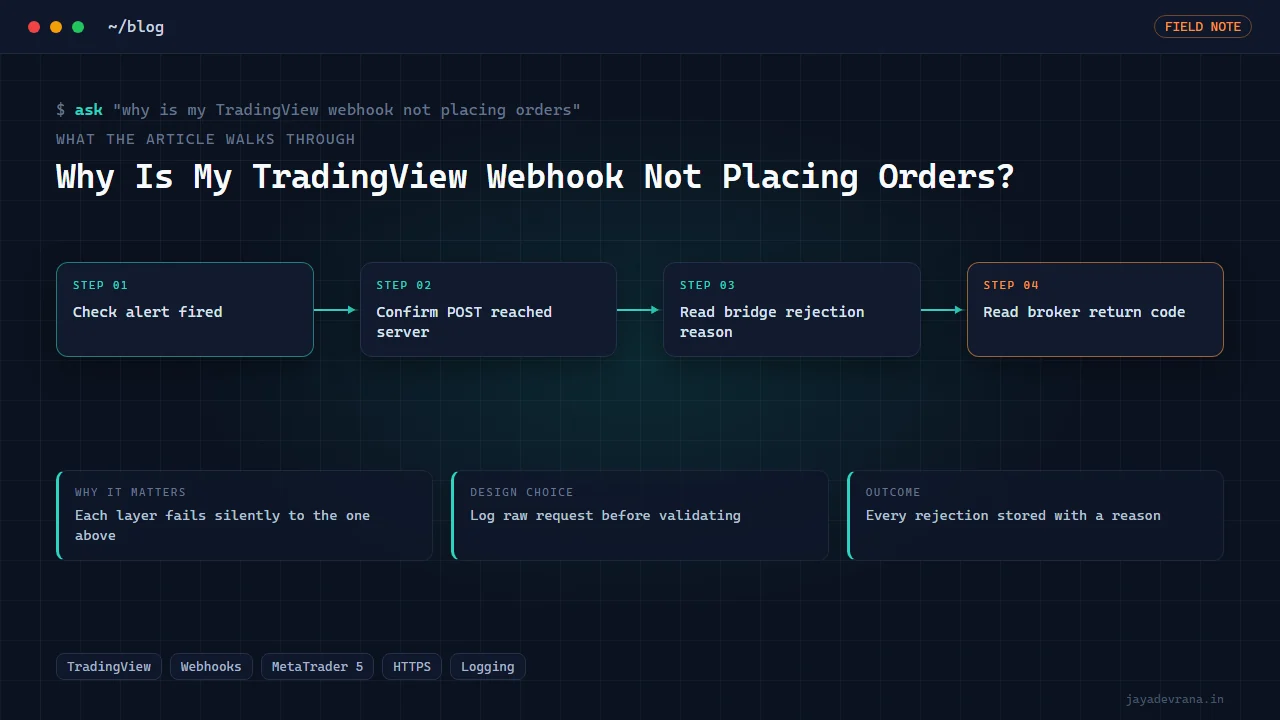
When a TradingView webhook is not placing orders, the fault is almost always in one of four places: the alert never fired or never had the webhook box ticked, the POST never reached your server (wrong URL, wrong port, no HTTPS, firewall), the server received it but rejected it (bad secret, malformed message, duplicate event ID), or the server accepted it and the broker side refused the trade (terminal not logged in, AutoTrading off, market closed, invalid volume). Work through those four layers in order and you will find it in minutes rather than hours.
The reason people lose evenings on this is that each layer fails silently from the perspective of the layer above it. TradingView shows a green "alert triggered" entry even when your server returned an error. Your server logs a 200 even when MT5 rejected the order. So the checklist below is ordered to force you to look at the evidence at each hop rather than guess. I built it from the support questions I get about my own TradingView to MetaTrader 5 webhook bridge, and the same logic applies to any broker.
Did the alert actually fire, and did it send a webhook?
Start in TradingView, because a surprising share of "webhook not working" reports are alerts that never triggered.
- Open the Alerts panel and check the alert log. If there is no entry at the time you expected, the condition was not met. Strategy alerts only fire on order events, and "once per bar close" alerts wait for the bar to close.
- Open the alert's settings and confirm the Webhook URL box is ticked and holds the URL. Editing an alert's condition can leave the webhook unticked.
- Check the alert is not expired or stopped. Alerts have an expiry date, and a "once" alert disables itself after one trigger.
- Check the plan. Webhooks require a paid plan; on the free plan the log shows the trigger but no HTTP request goes out.
If the log shows the trigger with a webhook icon, move to the network layer.
Is the POST reaching my server at all?
TradingView only sends to ports 80 and 443. A bridge listening on 8080 on your home PC will never see a request. The quickest proof is to point the alert at a public request-capture service for one trigger and confirm you see the body arrive; if it arrives there but not at your bridge, the problem is routing on your side.
Common causes in this layer:
- The URL has a typo, a trailing space, or the wrong path.
- The server is HTTP only; TradingView will post to HTTP on port 80, but many tunnels and proxies redirect to HTTPS and the redirect drops the POST body.
- A tunnel (Cloudflare, ngrok and similar) restarted and the URL changed.
- A Windows firewall or VPS security group blocks the port.
- The reverse proxy forwards GET but is not configured for POST, or strips the body.
My rule is to log every inbound request at the very first line of the handler, before any validation, with the remote address and the raw body. If that log is empty, nothing further inside the bridge matters.
Why would the bridge receive the webhook but reject it?
Now you are in the layer you control, and the logs should tell you. The usual rejections:
- Authentication failed. The secret in the message does not match. Watch for secrets with quotes or whitespace copied from the alert box.
- Malformed JSON. TradingView placeholders such as the close price expand into the message; if you wrapped a numeric placeholder in quotes or forgot a comma, the JSON is invalid.
- Unknown symbol mapping. The chart ticker is not the broker symbol. A gold chart might send XAUUSD while the broker needs XAUUSD.m or GOLD; the bridge needs a mapping table.
- Duplicate event ID. If you reuse a fixed ID in the alert message, the second alert ever sent is a duplicate and gets dropped. The ID must change per event; use a placeholder like the bar time plus the action.
- Action not understood. Sending "long" when the bridge expects "buy", or "flat" when it expects "close".
A well-built bridge rejects with a specific reason and keeps the event visible with that reason, which is exactly why I store rejected events rather than discarding them. For the design behind that, see how I connect TradingView alerts to MT5.
What stops MT5 from executing a valid instruction?
The bridge accepted the event and called the terminal, but no position appears. On MetaTrader 5 the candidates are:
- Terminal not running or not logged in. The Python integration and most EAs need a live, authenticated terminal on the same machine.
- AutoTrading disabled. If an Expert Advisor does the execution, the global AutoTrading button must be on and the EA must have "allow algo trading" enabled in its properties.
- Market closed or session not open. Gold on many brokers reopens a minute after the hourly or daily bar opens; a request in that minute returns a market-closed error. Weekend crypto on a broker that does not trade weekends does the same.
- Invalid volume. Volume below the minimum lot, above the maximum, or not a multiple of the lot step is rejected. Read the symbol's limits and round before sending.
- Insufficient margin. The order size is fine but the account cannot carry it.
- Symbol not in Market Watch. Some calls fail until the symbol is selected in Market Watch.
- Wrong filling mode. Brokers accept different order-filling policies; the wrong one returns an unsupported-filling error.
The terminal returns a return code for every request, and the MetaQuotes reference at https://www.mql5.com/en/docs/constants/errorswarnings/enum_trade_return_codes lists what each means. Your bridge should log that code next to the event. "Order failed" with no code is not a log line, it is a guess.
How do I test the whole chain without risking money?
Use a demo account for every step, then stage it:
- Trigger the alert manually by temporarily setting the condition to something that is true now (price above zero) and confirm the webhook arrives.
- Send a crafted POST to the bridge from your own machine with a known-good message and confirm an order appears on the demo terminal.
- Send the same POST twice and confirm the second is rejected as a duplicate.
- Send a POST with a bad secret and confirm it is rejected with no order.
- Restart the bridge mid-flow and confirm queued events survive.
If all five pass, the only thing that can still go wrong live is the broker's own behaviour, and you will see that in the return codes. This is engineering, not financial advice; a bridge that executes perfectly still executes whatever strategy you gave it, on your account, at your risk.
How I built this: TradingView to MetaTrader 5 Webhook Bridge
Every item in this checklist is a scar from building and supporting my own TradingView to MetaTrader 5 webhook bridge. The bridge is a Windows desktop application with a split architecture, and the failure modes above shaped it directly:
- Log before validate. The intake handler records the raw request first. Debugging "nothing happened" starts with "did it arrive", and that question must always be answerable.
- Reject loudly, store the rejection. Dual-auth failures, malformed bodies and unknown actions are stored as rejected events with a reason, so the UI shows the trader why an alert did not become a trade.
- Deduplicate by event ID. Repeats are recognised and dropped before they reach the queue. In a stress test, forty deliberately duplicated alerts produced zero duplicate orders.
- Persist before acknowledging. Accepted events go into a SQLite write-ahead-log queue before TradingView gets its 200. A crash between acknowledgement and execution loses nothing.
- Execute in a separate agent. The agent reads the queue and calls the MT5 adapter for open, close or reverse, recording the broker's return code against the event. A slow or failing broker call never blocks intake.
- Verify with a simulator. A protocol-faithful broker simulator lets me replay every rejection scenario in a regression harness without a live terminal.
The second-generation build was verified on a demo account with 3,347 mixed webhooks over 23 minutes: 3,083 real opens producing 3,083 unique tickets, nothing lost, no server errors, and the kill switch still responsive under load. A real round trip measured about 400 milliseconds from alert to broker ticket. Those numbers only exist because every layer in the checklist logs its own evidence, which is the point of the whole post.
FAQ
TradingView shows the alert fired but my server log is empty. What now?
Point the same alert at a public request-capture URL for one trigger. If the body shows up there, the problem is your network path: port, HTTPS redirect, tunnel or firewall. If it does not show up there either, the webhook box in the alert is probably unticked or the plan does not support webhooks.
My bridge logs a 200 but MT5 shows nothing. Where do I look?
In the bridge's execution log, next to the event. If there is no entry, the worker is not picking up the queue. If there is an entry with a broker return code, that code is your answer: market closed, invalid volume, no money, AutoTrading disabled and so on.
Can a webhook fire twice for one signal?
Yes. Two charts with the same alert, an alert re-armed after editing, or a strategy that generates both a close and an open event for one flip can all produce two POSTs. The defence is a unique event ID per alert message and a bridge that refuses repeats.
Why does the order work manually but fail from the webhook?
Usually volume or symbol. A manual trade uses the terminal's own rounding and the exact broker symbol; the webhook sends whatever the alert message says. Compare the message's symbol and volume against the broker's symbol name, minimum lot and lot step.
If you would rather hand the whole pipeline to someone who has already hit every one of these, describe your setup on the contact page.
Building something in this space? I ship trading automation, Pine Script, MQL5 EAs, and full-stack tools with source and docs.
Start a project →