Is There a Self-Hosted TradingView Alternative With Pine Script?
Is there a self hosted TradingView alternative with Pine Script? What exists, what a Pine-compatible terminal needs, and how I built SuperCharting.
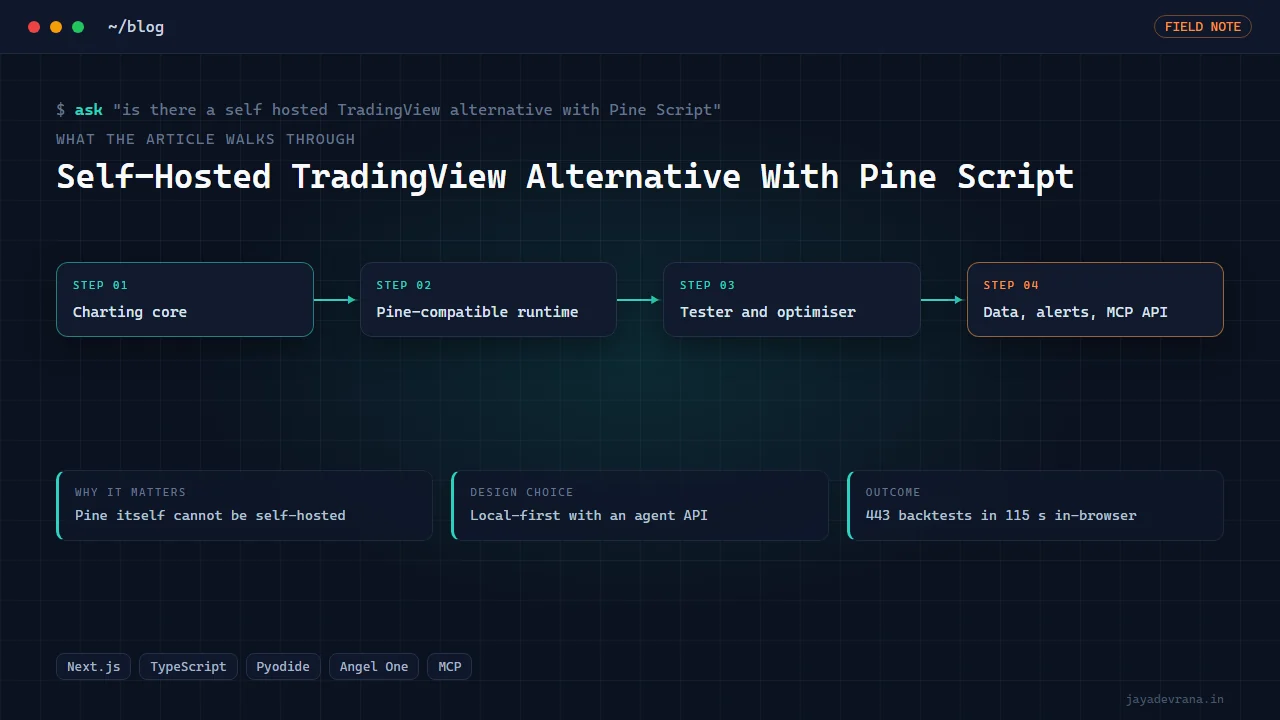
There is no official self-hosted TradingView, and no third-party product runs TradingView's own Pine engine, because Pine is a closed interpreter that lives on TradingView's servers. What does exist is a small set of charting terminals that implement a Pine-compatible script language of their own, so you can paste an indicator or strategy written in Pine v5 or v6 syntax, compile it locally, plot it, and run a strategy tester against your own data. I built one, SuperCharting, which runs in the browser against a local-first workspace and also as a hosted instance, and the rest of this post uses it to explain what a self hosted TradingView alternative with Pine Script actually requires.
The honest framing matters. "Pine-compatible" means the common language is supported with matching semantics for the parts people use; it does not mean every library function behaves identically in every corner. For most indicators and strategies that is enough to migrate, and the gains are real: your layouts, scripts and data stay on your machine, you can run optimisations the hosted platform does not offer, and you can wire the charts to a broker or an AI agent through an API you control.
Why can't I just run TradingView locally?
TradingView's charts, data feeds and Pine runtime are a hosted service. The company licenses a Charting Library for embedding charts in your own product, but that library does not include Pine, does not include TradingView's data, and its licence excludes white label use. There is no download that gives you the Pine Editor and Strategy Tester offline. So a self hosted TradingView alternative is by definition a different piece of software that aims for familiarity, not a copy.
What does a Pine-compatible terminal need to get right?
In rough order of difficulty:
- The language. A parser and runtime for Pine's syntax: series semantics where every variable is a time series, the history-referencing operator, built-in variables for price and time, user functions, and the type system that changed between v5 and v6. The runtime must evaluate scripts bar by bar the way Pine does, including how the live bar updates.
- The built-in library. Moving averages, oscillators, ATR with Wilder smoothing, pivots, higher-timeframe requests with correct offsets, drawing objects for lines, labels and boxes, and tables. Each must match Pine's output numerically, or indicators pasted from TradingView will look wrong.
- The strategy engine. Entries, exits, pyramiding, order sizing, commission and slippage settings, and a tester report with the same metrics traders expect, including the trade list.
- Charts. Multi-pane layouts, drawings, crosshair, replay, and performance on tens of thousands of bars.
- Data. Historical candles and live quotes for the markets you care about, with symbol search, and clear limits on what is delayed or missing.
- Alerts and automation. Conditions that fire webhooks, so the terminal can drive a broker bridge.
Getting the first three right is the bulk of the work and the part most "alternatives" skip; a candlestick chart with a handful of fixed indicators is not a Pine replacement.
How do you make Pine scripts run fast enough in a browser?
Compile once, run as arrays. A script is parsed to an intermediate form, series operations are vectorised over the loaded bars, and only the live bar is re-evaluated tick by tick. For strategy optimisation, where the same script runs hundreds of times with different inputs, the work is fanned out across multiple engines running in parallel. In SuperCharting's optimiser, 443 EMA-cross backtests ran across eight Pyodide engines in 115 seconds in the browser, which is enough for interactive parameter exploration without a server-side cluster. For truly large sweeps I hand data to a GPU pipeline instead, described in backtesting billions of indicator combinations.
Can a self-hosted terminal connect to a broker and an AI agent?
That is where owning the platform pays off. Because alerts, backtests and chart data are functions of software you run, they can be exposed as an API. SuperCharting exposes an MCP server with tools to search symbols, fetch bars, check a script, run a backtest, optimise a strategy, capture a chart image and manage alerts, so an AI agent can operate the terminal through typed calls rather than clicking. A Pilot chat panel inside the app uses the same tools. Broker connections sit alongside: live NSE, BSE and F&O data via Angel One with a circuit breaker that halts data use when the feed misbehaves, webhook alerts to drive bridges, and an MT5 bridge hosted on a subdomain. Everything that executes is engineering, not financial advice; anyone trading through it does so at their own risk.
What are the limits compared with TradingView?
Be clear-eyed:
- Data coverage is whatever feeds you connect; TradingView's breadth across global exchanges is not something a self-hosted tool matches on day one.
- Pine compatibility is high for mainstream scripts and lower for scripts that lean on obscure library functions or undocumented behaviour; a checker that reports unsupported calls before you add the script to the chart is essential.
- Community features, published-script discovery and social layers are absent by design.
- You maintain it. Updates, data subscriptions and hosting are your responsibility, which is the price of owning the stack.
If what you need is a familiar chart, your own scripts, a tester and an API you control, those limits are acceptable. If you need every exchange in the world and a social feed, they are not.
How I built this: SuperCharts
SuperCharts began as a local-first browser charting terminal for crypto, forex and multi-asset trading, built as a TypeScript and Next.js monorepo with a sibling package for embedding charts elsewhere. It brought multi-pane charts, order-flow and footprint views, custom indicators, a scripting layer, alerts, backtesting and MT5 automation into one workspace, with layouts, scripts and data kept on the user's machine. In 2026 it went live as SuperCharting. The workflow that got it there:
- Charting core first. Multi-pane charts with order-flow and footprint views, drawings and replay, on a rendering path that stays smooth with large histories.
- Pine-compatible scripting layer. A parser and runtime for v5 and v6 syntax with series semantics, the built-in library matched numerically, and a script checker that reports unsupported constructs before a script reaches the chart.
- Strategy tester and optimiser. A tester with the familiar report and trade list, plus an optimiser that fans backtests across multiple browser engines; 443 EMA-cross backtests completed across eight engines in 115 seconds.
- Screener, bar replay and alerts. A screener over the connected universe, bar replay for manual study, and webhook alerts for automation.
- Live data and broker connections. NSE, BSE and F&O via Angel One behind a circuit breaker, plus broker connections, with a CE/PE options terminal and the TradingView-to-MT5 bridge hosted on subdomains.
- Pilot panel and MCP server. A chat panel inside the app and an MCP server exposing symbol search, bars, script check, backtest, optimise, chart image and alert tools, so agents and scripts can drive the terminal.
- Launch. Demo stills and videos were recorded with Playwright against the live server and published on X in October 2026.
The design decisions were local-first by default, a real script runtime rather than fixed indicators, and an API surface from the start so the terminal could be automated and extended. The outcome is a terminal where a Pine script, a tester, a screener, live Indian market data and an agent interface live in one place, and where the owner, not a vendor, decides what runs. If you are weighing self-hosting against automation on TradingView itself, can an AI agent control TradingView desktop covers the other path.
FAQ
Will my existing TradingView indicators work unchanged?
Most mainstream indicators and strategies in v5 or v6 syntax run after passing the checker. Scripts that rely on rarely used library functions, specific drawing behaviours or undocumented quirks may need small edits, and the checker tells you which calls are not supported before you add the script.
Is the data real-time?
For the connected feeds, yes, subject to the provider's entitlements; Indian equities and derivatives come through Angel One with a circuit breaker. Markets without a connected feed are not available, which is the main practical difference from a hosted platform with global coverage.
Can I run it entirely offline?
The local-first workspace keeps layouts, scripts and cached data on your machine, and scripts, backtests and replay run against cached data without a connection. Live quotes and new history naturally require the data provider.
Does it replace a broker platform?
No. It is a charting, scripting and research terminal with automation hooks. Orders flow through bridges and broker connections that you configure, and the responsibility for what those execute remains yours.
If you want a self-hosted charting terminal with your own scripts, data and broker hooks, or want SuperCharting extended for your market, tell me on the contact page.
Building something in this space? I ship trading automation, Pine Script, MQL5 EAs, and full-stack tools with source and docs.
Start a project →