How to Make a Lip Synced Talking Head Video Locally (No Cloud, 2026)
How to make a lip synced talking head video locally on a 16 GB GPU: photo plus audio into an avatar model, the four traps that ruin output, chaining long takes.
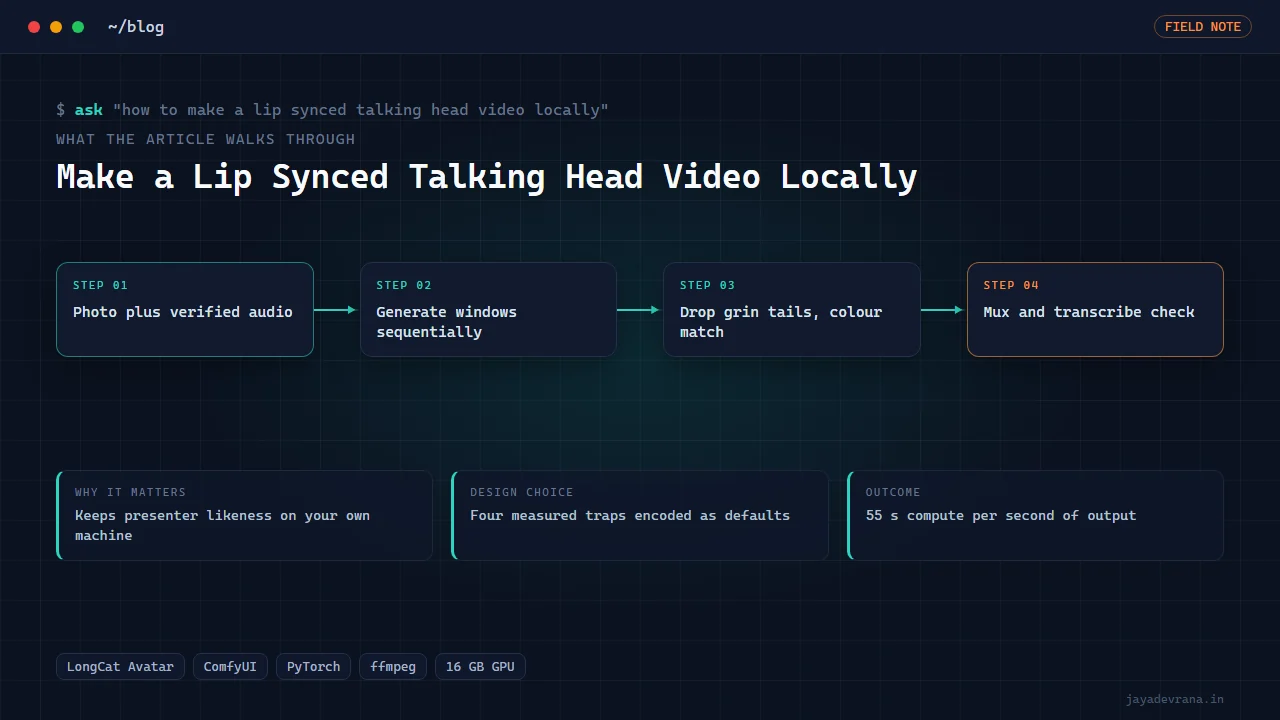
A lip synced talking head video can be made entirely on a local machine from two inputs: one photo of the presenter and one audio file of the narration. A photo-plus-audio avatar model generates the video in short windows, each window is checked and trimmed, the windows are chained with colour matching, and the result is assembled with the original audio. On a 16 GB consumer GPU the current cost is roughly 55 seconds of compute for every second of output, so a one-minute talking head is a coffee break, not an overnight run.
I measured all of that on my own card while building the video foundation for my channels. The models work; what nobody writes down is the set of small behaviours that make the output look wrong, and those took longer to find than the setup did. Here is the whole process for making a lip synced talking head locally, with the traps named.
What do you need to generate a talking head locally?
The minimum kit is:
- A GPU with 16 GB of memory. Less is possible with offloading but the time per second of video climbs steeply.
- A node-based inference host (I use ComfyUI driven over its HTTP API, so runs are scripted rather than clicked).
- An avatar model that takes a reference photo and an audio track and produces video with synchronised mouth movement. I use LongCat Avatar 1.5.
- A text-to-speech step, if the narration is not recorded. I render narration locally and verify it by transcription before it ever drives a face.
- A video tool to concatenate, colour match and mux (ffmpeg does all three).
The photo matters more than people expect. A front-facing, evenly lit portrait with a neutral mouth gives the model the least to invent. Smiles baked into the reference tend to persist into every frame.
How does the model turn a photo and audio into speech movement?
Conceptually, the model conditions a video diffusion process on two things: the identity from the photo and the phoneme timing from the audio. For each generation window it produces a short clip, typically a few seconds, where the mouth shapes follow the audio and the head carries subtle motion. Long narration is handled by generating consecutive windows and stitching them, usually with the final frame of one window informing the start of the next so the face does not jump.
That chaining is where the quality problems live, which is why the next section is the useful part of this post.
What are the four traps that ruin a locally generated talking head?
These are the behaviours I measured and now correct for on every render:
- The negative prompt does nothing at guidance scale one. If you run the model at the speed-friendly low guidance setting, anything you type into the negative prompt is ignored. Do not rely on it to suppress artefacts; fix the reference photo and the positive prompt instead.
- Every window ends in a grin. The model drifts toward a smile at the tail of each generation window. If you chain windows naively, the presenter grins at regular intervals for no reason. The fix is to generate slightly longer than needed and drop the tail frames before chaining.
- Lip colour drifts across chained segments. Each window shifts the colour of the mouth region a little; over ten windows the lips visibly change tone. A colour match of each new segment to the previous one, applied at the join, removes the drift.
- The text encoder path can reject a reduced-precision weight. One encoder in the chain refuses a particular eight-bit format and fails with an unhelpful error. Keep that component at a supported precision and the rest of the pipeline can stay quantised.
None of these show up in a five-second demo. All of them show up in a sixty-second talking head.
How do you produce the audio that drives the face?
Narration quality caps the result, because a mouth synchronised to a mushy voice looks wrong even when the sync is perfect. My narration path renders each sentence separately with a local voice model, transcribes it back and compares it to the script, and only then concatenates with natural pause lengths. For talking heads I also keep the pauses slightly longer than for voice-over, since a face that never pauses to breathe reads as synthetic.
If you are driving the face with a real recording, normalise its loudness first and remove long silences; the model fills silence with idle motion that can look like fidgeting.
How long does it take and can you do it faster?
The honest number on my hardware is about 55 seconds of compute per second of output at the quality I publish. For a ten-minute video that is over nine hours, which is why I use talking heads for openings, transitions and short explainers rather than for entire episodes. Ways to spend less:
- Generate only the sentences where the presenter is on screen and cut to other visuals elsewhere.
- Reuse a rendered segment across videos for recurring lines such as the channel sign-off.
- Lower the output resolution for picture-in-picture use, where the face occupies a small corner.
How I built this: the local AI video stack
The talking head path lives inside my Local AI Video Stack, which is the shared foundation every video project on my machine renders through. For lip synced talking heads the workflow is:
- A shot specification names the reference photo, the audio file, the window length, the output size and a deterministic seed, so a reroll of one window is reproducible.
- The driver submits windows to the avatar model one at a time through the inference host's HTTP API, keeping the model resident between windows.
- Each window is generated a little long; the tail is dropped to remove the end-of-window grin.
- Consecutive windows are colour matched at the join so lip tone stays constant across the whole take.
- The segments are concatenated and muxed with the original narration, then a transcription pass confirms the audio survived intact.
- The clip joins the project's assembly alongside the generated b-roll, music beds and captions.
Design decisions: scripted inference over clicking, measured timings in a table rather than estimates, every trap encoded as a default rather than a note to remember. The same stack runs the text-to-video model for b-roll and an audio-capable model that I verified producing spoken lines by transcribing them back. The outcome is a repeatable talking head path that I can trust for a published video, and a documentary pipeline that uses it, which I describe in how I make documentary videos with AI on a local GPU.
FAQ
Is a local talking head as good as a hosted avatar service?
For a front-facing presenter reading narration, the sync and identity are comparable in my tests. Hosted services win on speed and on gestures or body movement. Local wins on cost per minute, privacy of the presenter's likeness, and control over every frame.
Can I use my own face?
Yes, and that is the intended use. One clear photo is enough for the model; a short reference video is not required. Keep the photo private to your machine, which is one of the reasons to run this locally.
What about full-body or two-person scenes?
The avatar model I use is a single-face, photo-driven model. Multi-person and full-body generation need a different model class and considerably more compute. For my content, a single presenter with cutaways to generated visuals covers the need.
Does it work with Hindi or Hinglish audio?
The mouth movement is driven by the audio waveform, not by language, so a Hindi narration track syncs as well as English. I use the same path for both audio tracks on my channel.
If you want a local avatar or narration pipeline set up on your hardware, tell me about it on the contact page.
Building something in this space? I ship trading automation, Pine Script, MQL5 EAs, and full-stack tools with source and docs.
Start a project →