How to Control Your Trading PC and VPS From One Web Console (Safely)
How to control a trading PC and VPS from one web console: dial-out nodes, zero open ports, browser-sealed credentials, node schedules and a permission gate.
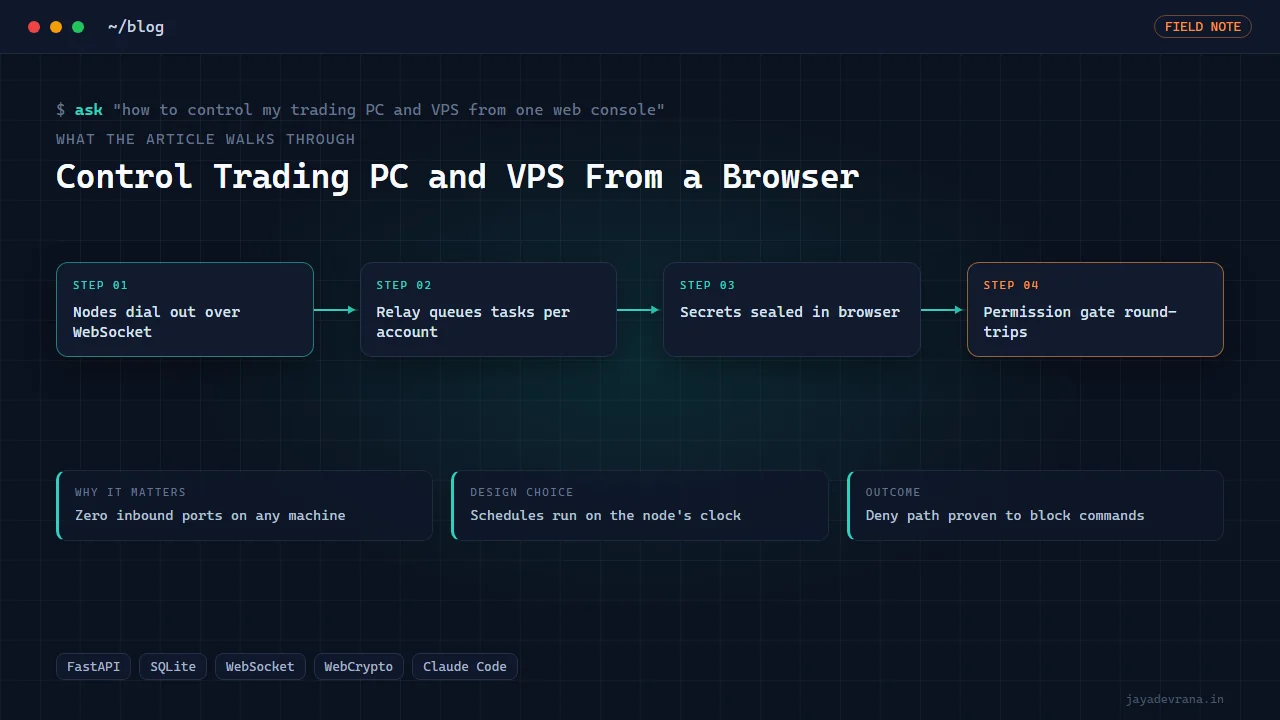
The safe way to control your trading PC and VPS from one web console is to invert the usual direction: instead of opening remote-desktop or SSH ports on each machine, run a small agent on every machine that dials out to a relay website over a persistent WebSocket, and let the website queue tasks that the agents pick up, run locally and stream back. No inbound port is ever opened on the PC or the VPS, the relay never holds a credential it can read, and anything time-critical such as a scheduled close-all runs on the machine's own clock so a network drop cannot cancel it.
I built exactly this because I wanted to type a task from my phone, have my home PC or my MT5 VPS pick it up, run an AI coding session against the right project or a trading-ops script, and send the result back, without ever exposing either machine to the internet. The console has since become the pattern behind my multi-tenant alert-execution service. Below is the architecture, the security decisions and the verification, in the order I would make them again. Operating live trading machines is engineering, not advice; the accounts behind them are the owner's responsibility.
Why should the machines dial out instead of accepting connections?
Three reasons, each sufficient on its own:
- Attack surface. An open RDP or SSH port on a trading machine is scanned within minutes of appearing. A machine with zero inbound ports cannot be connected to by anyone, including attackers, because there is nothing listening.
- Network reality. Home connections in India and many other places sit behind carrier-grade NAT, where port forwarding simply does not work because your router does not have a public address. Outbound connections always work.
- Simplicity. The agent needs one outbound URL and a token. No firewall rules, no dynamic DNS, no VPN client on the phone.
The relay is the only thing with a public address, and it is a small web application that holds task queues and streams, not a bastion with shell access to anything.
How does a task get from the browser to the right machine?
Through a queue keyed by node. The flow:
- You compose a task in the console, choose the target node (home PC, VPS, a specific project), and attach any files it needs.
- The relay stores the task and its attachments against your account.
- When the target node's WebSocket is connected, the relay dispatches the task; if the node is offline, the task waits and is delivered on reconnect.
- The node pulls the attachments into a per-run inbox folder, runs the engine (an AI coding session in the project folder, or a plain script) and streams output lines back over the socket.
- Deliverables the run writes to an outbox folder are uploaded back to the console, where you download them.
Everything is per account on every table and in every live broadcast, so two users on the same relay never see each other's tasks or output, and an owner audit view exists for the person running the relay.
How do you keep credentials out of the relay?
By never giving the relay the plaintext. Each node generates a P-256 key pair and publishes the public key through the relay. When you enter a credential in the browser, such as a broker API key the node will need, the browser performs an elliptic-curve key agreement with the node's public key, derives an AES-256-GCM key through a key-derivation step, and encrypts the credential before it leaves the page. The relay stores an opaque envelope; only the node holding the private key can open it.
This was not just designed but verified end to end: a credential sealed in the browser was confirmed to be unreadable in the relay's database and correctly decrypted on the node. If you are building anything that routes secrets through a server you do not want to fully trust, this browser-side sealing is the pattern, and it costs only a few dozen lines using the browser's built-in cryptography interface.
What happens to scheduled actions when the network drops?
They still run, because schedules live on the node. A rule such as "close all positions at 15:25" is pushed to the node once and executes from the node's own clock. If the relay is unreachable at 15:24, nothing changes; the node closes at 15:25 and reports when it reconnects. The alternative, where the relay sends a "close now" message at the scheduled time, fails exactly when you most need it to work.
The same principle applies to anything with money on the line. The relay coordinates; the node executes; the node must be able to complete any safety-critical action alone.
How do you let an AI agent run tasks without giving it free rein?
With a permission gate that round-trips to the website. The engine on the node is an AI coding session running in ask mode, which means it stops before any tool call that policy marks as requiring approval. A hook on that tool-call event pauses the run, posts the pending action to the console, and waits. You see "the agent wants to run this command" on your phone, allow or deny, and the same session resumes. Deny was tested to confirm the command really does not run, not merely that the agent is told no.
This is the mechanism that makes it reasonable to have an agent operate on a machine that also hosts live trading software. The agent proposes, you approve, the node acts. For how I think about tool policy for agents in a trading context more broadly, see what an MCP server is and how it is used for trading.
How I built this: Remote Ops: Private Console That Drives Your Own Machines
Remote Ops has three parts: a small public relay built with FastAPI and SQLite, node agents that dial out over WebSocket, and a media toolkit the engine can call for the video and audio work I often hand it. The build order:
- Relay. Accounts, tasks, attachments, nodes and live streams in SQLite behind FastAPI, with per-account isolation enforced on every table and every WebSocket broadcast, plus an owner audit view.
- Node agent. One codebase that serves every instance: connects outbound with keepalives, receives dispatched tasks, pulls attachments into a per-run inbox, runs the engine in the right project folder, streams output and uploads the outbox.
- Browser-sealed secrets. Credentials encrypted in the page to the node's P-256 key with ECDH, HKDF and AES-256-GCM; the relay stores envelopes it cannot open. Verified end to end.
- Node-side schedules. Timed actions run on the node's clock so a network drop before a scheduled close-all cannot cancel it.
- Permission gate. The engine runs in ask mode; a pre-tool hook pauses, asks the website and resumes the same session on allow. Deny proven to prevent the command.
- Attachments both ways. Uploads land in the run's inbox; deliverables return through the outbox to the console.
- Reuse. The dial-out and isolation patterns became the backbone of the Skynet alert-execution service, where many client nodes connect to one relay.
Design decisions I would defend: dial-out only with zero inbound ports anywhere, secrets sealed in the browser rather than trusted to the server, schedules on the node, and a permission gate verified by testing the deny path. The outcome is a console I use from a phone to drive my own PC and VPS, with the properties that let me sleep: nothing listens, nothing leaks, and nothing time-critical depends on the network.
FAQ
Is this a replacement for remote desktop?
For running tasks, scripts and agent sessions, yes. For looking at a screen and clicking, no; that is still a remote-desktop job, ideally over a VPN rather than an open port. Most of what I used to open a remote desktop for turned out to be tasks that fit the console better.
Can the relay be hosted on a cheap VPS?
Yes. It is a small Python web application with a SQLite database and modest traffic; the nodes do the heavy work. The relay needs a public hostname and a TLS certificate and little else.
What if the relay itself is compromised?
The attacker sees task text, output streams and encrypted credential envelopes they cannot open, and could queue tasks to nodes. The permission gate means agent actions still need approval from the console, so you would want an independent way to notice tampering; the owner audit view is the start of that.
Does the agent on the node need internet access?
The AI coding engine does, to reach its model. The node's trading software needs only its broker connection. Both are outbound, which is the whole point.
If you want a private console like this for your own machines, or the same patterns applied to a client-facing service, tell me about it on the contact page.
Building something in this space? I ship trading automation, Pine Script, MQL5 EAs, and full-stack tools with source and docs.
Start a project →