How to Create Windows VMs on Demand With Hyper-V (Golden Image Method)
How to create Windows VMs on demand with Hyper-V: golden image, differencing disks per VM, unattend-injected identity, PowerShell layer and a web console.
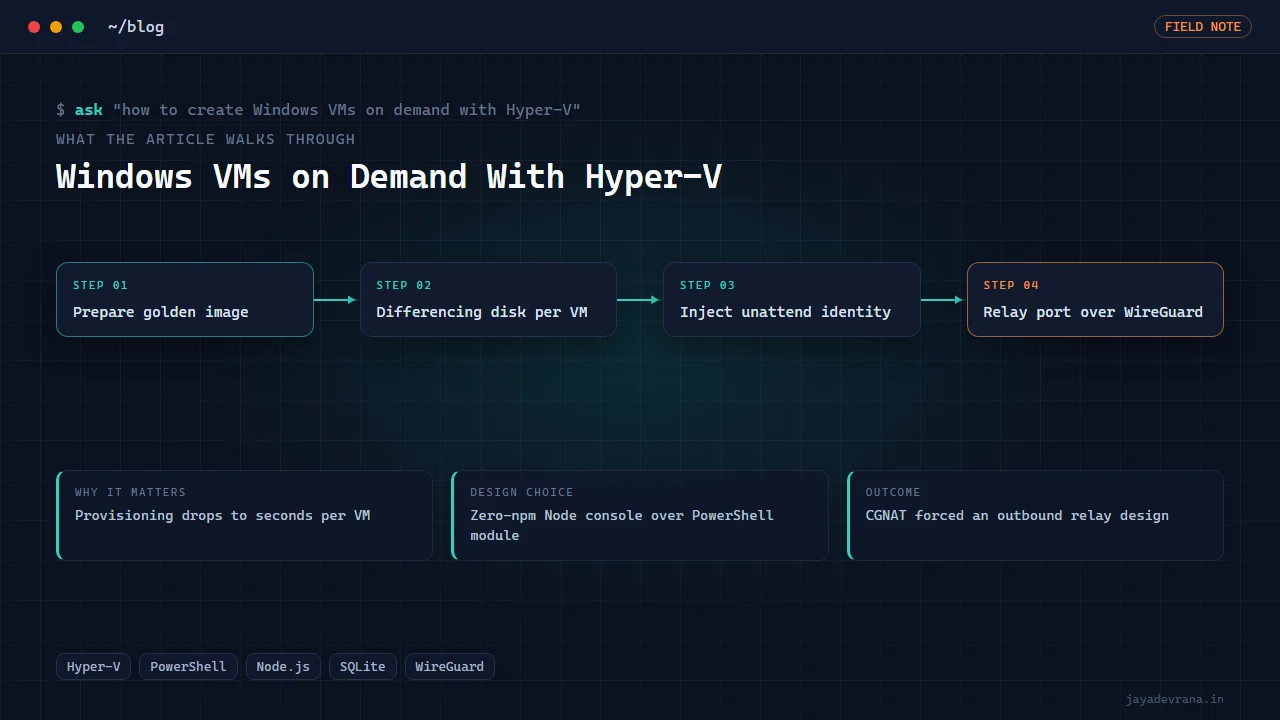
To create Windows VMs on demand with Hyper-V you prepare one fully configured Windows installation as a golden image, generalise it so it can take a new identity on first boot, and then create each new VM as a differencing disk that points at the golden image as its parent. The new VM shares every byte of the parent and only stores its own changes, so provisioning drops from a twenty-minute Windows install to a few seconds of disk creation plus one boot. Identity, the computer name, the local account and its password, is injected through an unattend answer file placed on the new disk before that first boot, so the VM comes up already named and logged in with nobody touching the console.
I built this as the provisioning engine for a small MT4/MT5 hosting business run off a workstation, wrapped in a web console so that clicking "build" in a browser produces a ready VM with credentials delivered to a client dashboard. Below is the method step by step, the Windows traps that cost real hours, and the networking problem that turned out to be the hardest part. Everything here is infrastructure engineering; whether the VM then runs a trading terminal is the client's business.
What is a golden image and why use differencing disks?
A golden image is one virtual hard disk containing Windows installed, updated, configured with your power settings, prerequisites and any software every VM should have, then generalised with the system preparation tool so that machine-specific identifiers are cleared. It is never booted again directly; it is the read-only parent for everything else.
A differencing disk is a child virtual disk whose parent is the golden image. Reads fall through to the parent for any block the child has not written; writes go to the child. Consequences:
- Creation is instant, since the child starts empty.
- Storage is shared, so ten VMs cost one Windows installation plus ten sets of changes.
- The parent must never change after children exist, or every child is corrupted. Updating the image means building a new golden disk and migrating new VMs to it over time.
- Disk performance is slightly lower than a flat disk, which is irrelevant for a trading terminal and matters only for heavy I/O workloads.
For a fleet of similar small VMs, the trade is overwhelmingly in favour of differencing disks.
How do you give each VM its own identity without touching the console?
With an unattend answer file. Windows reads this XML file during the out-of-box phase after generalisation and uses it to set the computer name, create the local account, set its password, skip the setup screens and enable automatic logon. The provisioning steps:
- Create the differencing disk with the golden image as parent.
- Mount the new disk on the host, write the unattend file to the location Windows checks during setup, and dismount.
- Create the Hyper-V VM pointing at that disk, with memory, CPU and network settings from the plan the client ordered.
- Start the VM. First boot runs the specialise and out-of-box phases from the answer file and lands on a logged-in desktop.
- Record the generated credentials for delivery.
The password is generated per VM and written into the answer file, so it exists in exactly two places: the file consumed at first boot and the record shown to the client.
Which PowerShell operations does on-demand provisioning need?
Hyper-V ships a complete PowerShell module, so the whole flow is scriptable: create a differencing disk, mount a disk and get its drive letter, create a VM, set processor count and memory, connect a network adapter to a switch, start, stop and remove VMs, and read VM state and IP addresses through the integration services. Wrapping those in your own module with a small number of verbs (build, start, stop, destroy, status) gives a clean surface for a web layer to call.
Three Windows traps caught me and are worth writing down because none of them produce a useful error:
- VHDX files cannot live on an exFAT volume. Large external drives are often exFAT; disk creation fails or behaves oddly. Use NTFS for anything that holds virtual disks.
- Serialising strings read from a file hangs. Content read with the standard file cmdlet comes back as a typed collection, and handing it to a serialiser from a long-running server process hangs rather than erroring. Convert to plain strings first.
- One automatic variable name is reserved. Using it as your own parameter inside a module silently breaks argument passing. Rename and move on.
How do you expose provisioning as a web console?
With a thin server that calls the PowerShell module and keeps state in a database. My console is a Node server with zero npm dependencies: it uses Node's built-in web server, built-in SQLite and built-in cryptography, so the host machine has nothing to keep updated beyond Node itself. The console shows the fleet, lets the operator build a VM from a plan, start, stop and destroy VMs, and displays each VM's state and credentials.
On top of that sits the client portal, also dependency-free: signup, plan selection, order placement, a manual payment confirmation step, an admin "mark paid and build" action that triggers the console's build, and a dashboard where the client sees their hostname and credentials. Keeping both pieces free of third-party packages was deliberate: this stack has to survive on a machine I do not want to maintain weekly. If the VM's job is to run a trading terminal, my MT5 VPS setup post covers what to bake into the golden image.
Why is networking the hard part of self-hosted VM hosting?
Because the client has to reach their VM, and a workstation on a home or small-office line usually cannot be reached from the internet at all. My connection sits behind carrier-grade NAT: the router's WAN address is itself private, so port forwarding does nothing and inbound traffic never arrives. No amount of Hyper-V configuration fixes this.
The design that works is a small cloud VPS with a static IP acting as a relay. The workstation dials out to it with a WireGuard tunnel kept alive with periodic keepalives, and the relay forwards one port per VM back through the tunnel to that VM's remote-desktop listener. Clients receive a stable hostname and port, the home line's rotating address becomes irrelevant, and no inbound port is ever opened on the workstation. It is the same dial-out principle I use in my remote-ops console, applied at the network layer rather than the application layer.
How I built this: AlgoEdge Cloud: On-Demand Windows VM Hosting with a Client Portal
AlgoEdge Cloud is the business wrapper and VMFactory is the engine inside it. The build, end to end:
- Golden image. One Windows VM installed, updated, configured with the settings a trading terminal needs, and generalised.
- VMFactory module layer. A PowerShell module with build, start, stop, destroy and status verbs over the Hyper-V cmdlets, handling differencing-disk creation, unattend injection and VM configuration.
- VMFactory console. A Node server with no npm dependencies calling that module and tracking the fleet in SQLite, with a local web interface for the operator.
- Client portal. A second dependency-free Node application on built-in SQLite and crypto: signup, orders, manual payment confirmation, an admin build action and a client dashboard that shows credentials.
- Relay network. A static-IP VPS with an outbound WireGuard tunnel from the workstation and one forwarded port per VM, designed after diagnosing carrier-grade NAT.
- Documented traps. The exFAT, serialisation and reserved-variable problems written down so they are not rediscovered.
- Honest commercial review. List-plus-margin pricing came out several times above the market, and a residential line cannot honour the uptime a hosting page would advertise; both were raised to the owner plainly rather than buried.
The design decisions that mattered: differencing disks off a golden image for speed and storage, unattend injection for hands-free identity, zero dependencies in both web layers for maintainability, and dial-out networking because inbound was impossible. The outcome is a working on-demand Windows VM pipeline from a browser click to credentials in a client dashboard, together with a clear-eyed note about what a residential line can and cannot promise.
FAQ
Do I need Windows Server to do this?
No. Hyper-V is available on Windows 10 and 11 Pro and Enterprise, and the PowerShell module is the same. Windows Server adds features for large fleets, live migration and failover that a small on-demand setup does not need.
How do I update the golden image once VMs exist?
Build a new golden image from a fresh install or a copy of the old one, generalise it, and point new VMs at it. Existing differencing disks keep their original parent, which must remain untouched. Over time, rebuild or migrate old VMs onto the new parent.
Can clients install their own software on these VMs?
Yes; each VM is a normal Windows machine with a local administrator account delivered to the client. Their changes live in their differencing disk and never affect the parent or other clients.
How many VMs can one workstation host?
Memory decides. Each MT5-style VM wants 2 to 4 GB, so a 64 GB workstation hosts a dozen comfortably with headroom for the host. CPU is rarely the limit for trading terminals; disk I/O can be if many VMs update Windows at once, which is a reason to stagger update windows in the image.
If you want an on-demand VM pipeline like this built for your own hardware or cloud account, tell me about it on the contact page.
Building something in this space? I ship trading automation, Pine Script, MQL5 EAs, and full-stack tools with source and docs.
Start a project →