How to Get Alerts From Multiple Timeframes in One TradingView Script
How to get alerts from multiple timeframes in one TradingView indicator: one scan function, varip tick state, non-repainting levels, one alert for all.
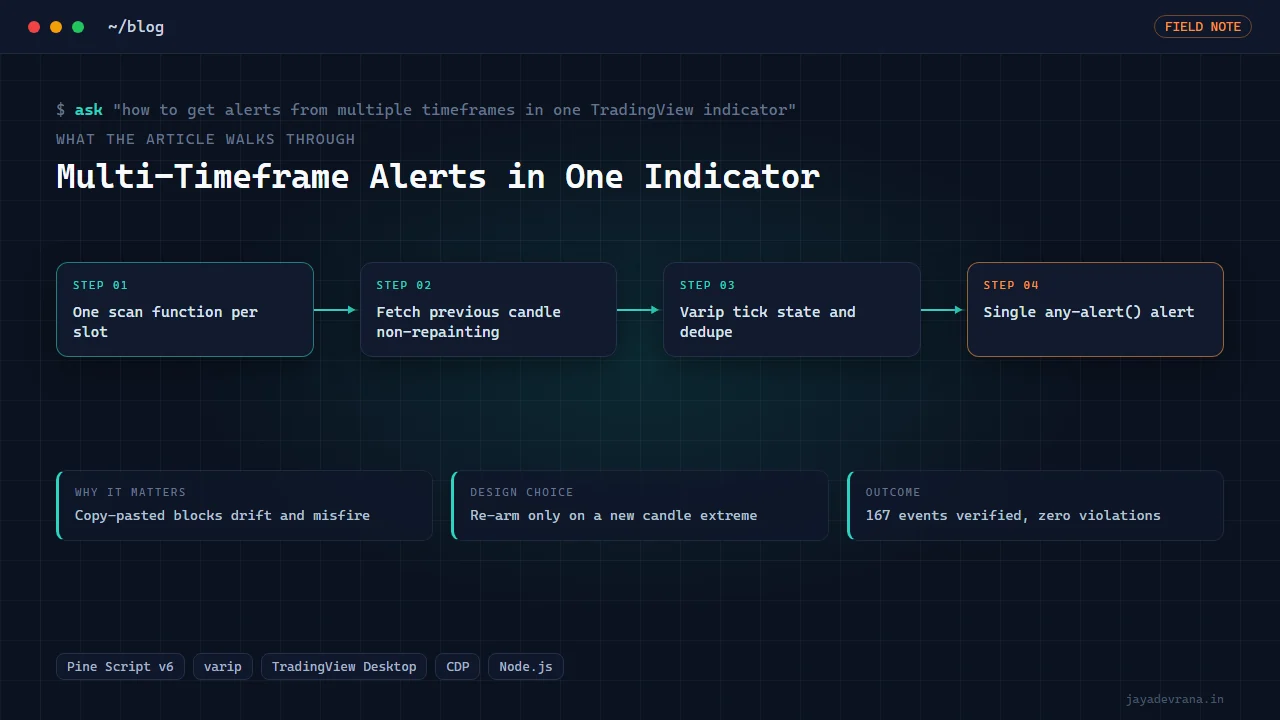
You get alerts from multiple timeframes in one TradingView indicator by writing the detection logic once as a function, calling it once per timeframe slot with that slot's higher-timeframe values fetched through a non-repainting request, and firing a single dynamic alert call whose message names the timeframe that triggered. On the TradingView side you then create one alert on the indicator with the condition set to "any alert() function call", and that single alert covers every timeframe slot. One indicator, one alert, six timeframes.
The reason this is a question people type into Google is that the naive approach, five pasted copies of the same block with the timeframe changed, works until it does not: the dedupe logic drifts between copies, the alert messages disagree, and any fix has to be made five times. I rewrote exactly such a script for a client, collapsing five copies into one function with tick-level state, and verified 167 historical events against the specification with zero violations. Here is the design, including the parts that are specific to how Pine handles state inside a bar.
Why does request.security repaint higher-timeframe alerts?
Because by default a higher-timeframe request returns the current, still-forming higher-timeframe candle on real-time bars and the completed candle on historical bars. An alert that depends on the daily high while the day is still open will fire on a value that changes, and your backtest of the same logic will look better than live because historically the completed value was used throughout.
The rule for alert scripts is to request the previous completed higher-timeframe candle: ask for the value one bar back on the higher timeframe, and set lookahead on so that the previous bar's value is available from the first lower-timeframe bar of the new period. Combining a one-bar offset with lookahead is the documented non-repainting pattern; using lookahead without the offset is the classic future leak. TradingView's own reference on this is at https://www.tradingview.com/pine-script-docs/concepts/repainting/.
For the client script, every slot fetches the previous candle's high and low on its own timeframe this way, so the levels are fixed for the whole period and the alert logic can be trusted to behave the same live as in history.
How do you avoid copy-pasting logic per timeframe?
Write one function that takes everything a slot needs (enabled flag, timeframe string, the two levels, colour) and returns the slot's events and state. Call it once per slot. In Pine, a function that declares its own state variables gets an independent copy of those variables for each call site, which is exactly the behaviour you want: six calls, six independent state machines, zero shared variables.
The function body for the client's "return through the previous candle's level" idea is:
- If the enabled flag is off, return no events.
- Fetch the previous higher-timeframe candle's high and low for the slot's timeframe, non-repainting as above.
- Track whether price has traded below the low (or above the high) since the current higher-timeframe candle began.
- If it has, and price now trades back up through the low (or down through the high), that is a return event, subject to the dedupe rule below.
- Return the event flags plus the state needed for the status table.
With this structure, adding a seventh timeframe is one more input group and one more function call. The client's draft had grown to five copies and could not be safely extended.
What is varip and why do tick alerts need it?
Ordinary Pine variables declared with var keep their value across bars but are rolled back to their bar-open value on every real-time tick update, because Pine recalculates the live bar from scratch on each tick. That is fine for bar-close logic and useless for logic that must remember what happened earlier within the same bar, such as "price dipped below the level ten seconds ago and has now come back up".
A variable declared with varip (var intrabar persist) keeps its value across ticks within the live bar. For a tick-level alert script, the state that must survive ticks (has price been beyond the level, what was the extreme reached, has an alert already fired for this cross) lives in varip variables inside the scan function. The documentation for the keyword is at https://www.tradingview.com/pine-script-docs/language/variable-declarations/.
Two warnings. First, varip state is only meaningful on real-time bars; on historical bars there is one update per bar, so the script behaves as if every bar were a single tick. Second, varip state does not survive a page reload, so a freshly loaded chart starts with clean state mid-bar.
How do you stop the same alert firing repeatedly?
Dedupe is where the client's draft failed. Their rule re-armed on the next tick, so a level crossed and recrossed in a choppy minute produced a stream of identical alerts. The rule that fixed it:
- When an alert fires, record the running extreme of the current candle at that moment (the lowest low so far for a low-side event).
- Do not re-arm the slot until the current candle prints a new extreme beyond the last recorded one.
- Only then can the next return through the level fire again.
This means a single dip-and-recover produces one alert, a deeper dip followed by a second recovery produces a second, and a sideways wobble around the level produces nothing. The rule is stated in terms of the candle's own extremes, so it does not depend on tick timing or counters.
How do you fire one alert for all timeframes?
Use the dynamic alert function on the bar and tick where any slot's event is true, with a message built from the slot's details: ticker, timeframe, event type (return through high or low), the level, the current price and the time. Then create one alert in the TradingView interface with the condition "any alert() function call" on this indicator. Every slot's event reaches you through that one alert, with a message that tells you which slot fired. Set the alert frequency to "once per bar" or "all" according to whether you want tick-level delivery.
Add a status table showing each slot's timeframe, previous levels, armed state and event counts, so you can glance at the chart and know what the alert machine is doing. For a broader treatment of making multi-timeframe logic production-safe, see my Pine Script to production workflow.
How I built this: Multi-Timeframe Previous-Candle Return Alert Scanner
The multi-timeframe return alert scanner was a client rewrite with a clear specification: alert when price trades below the previous candle's low and returns up through it (and the mirror on the high), never repeat for the same cross, and re-arm only after the current candle prints a new extreme. The build ran like this:
- Read the draft and the spec. The v5 draft had five pasted copies of one block and a dedupe rule that re-fired on the next tick. The specification was rewritten as testable statements.
- One scan function with varip state. All tick-level state moved into a single function; six timeframe slots (15 minutes, 1 hour, daily, weekly, monthly and 3-month by default, each with its own enable, timeframe and colour) call it independently.
- Non-repainting levels. Each slot fetches the previous candle's high and low from a prior-bar request, so levels are fixed for the period.
- Dedupe from candle extremes. Arming comes from the running extreme and requires a new extreme beyond the last alert before re-arming.
- One alert, readable message. A single dynamic alert covers all slots, with ticker, timeframe, event, level, price and time in the text, and a status table shows each slot's levels, armed state and counts on the chart.
- Verify bar by bar. Loaded on TradingView Desktop over the DevTools Protocol, 167 historical events across four slots were checked against the specification one bar at a time, including the dedupe rule, with zero violations. The 15-minute slot was verified by temporarily switching the chart timeframe and restoring it.
The decisions that mattered: a function with its own state instead of copies, varip for anything that must survive ticks, a dedupe rule expressed in candle extremes rather than counters, and a verification that counted events rather than eyeballed them. The outcome is a Pine v6 indicator the client can extend by adding a slot, with an alert that behaves identically in history and live.
FAQ
Can one TradingView alert really cover multiple conditions?
Yes. The "any alert() function call" condition fires whenever the script calls the dynamic alert function, regardless of which internal condition triggered it. Put the distinguishing details in the message and you have one alert for everything.
Do I need a paid TradingView plan for multi-timeframe alerts?
You need enough alert slots for however many indicators you run, but this design uses one alert per indicator, which is the point. Higher-timeframe requests are available on all plans; the number of simultaneous requests per script is capped, so six slots is comfortable and forty is not.
Will the alert fire on historical bars when I backtest the logic?
Alerts only fire live, but the event flags can be plotted or counted on historical bars, which is how the 167-event verification was done. Expose the events as hidden plots and you can audit the logic without waiting for live triggers.
Why does my varip state reset randomly?
Reloading the chart, changing an input or recompiling resets all state, including varip. Within a continuous session it persists across ticks. If you see resets without any of those actions, check whether a higher-timeframe request is resetting your levels mid-period, which usually means the offset or lookahead setting is wrong.
If you want a multi-timeframe alert indicator built and verified like this for your own rules, tell me about it on the contact page.
Building something in this space? I ship trading automation, Pine Script, MQL5 EAs, and full-stack tools with source and docs.
Start a project →