Why Does My MT5 EA Backtest Differ From Live Results? 9 Causes
Why your MT5 EA backtest differs from live results: tick modelling, spread, session gaps, slippage, requotes, bar timing and restart state, each with a test.
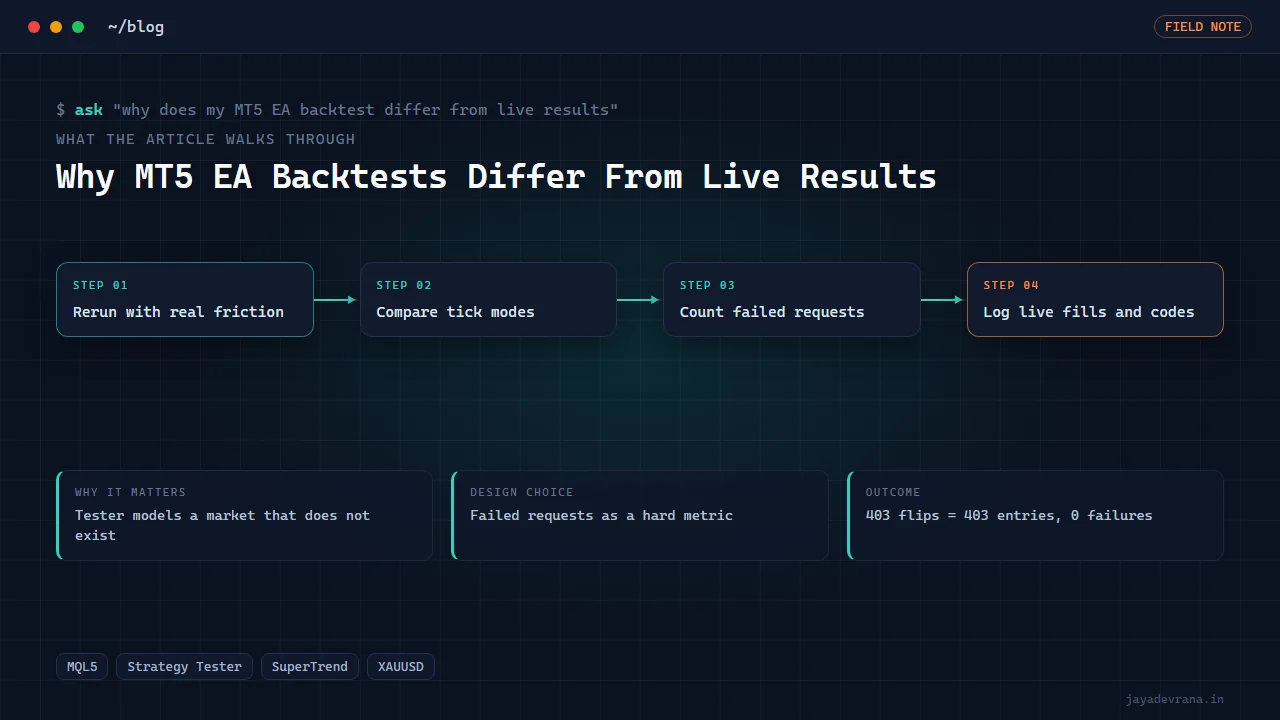
An MT5 EA backtest differs from live results because the Strategy Tester models a market that does not exist: ticks are generated or replayed from one broker's history, spread is often a fixed number, every order fills at the requested price, the market is never closed when the EA wants to trade, and the terminal never restarts mid-trade. Live, every one of those assumptions breaks a little, and the differences compound into a trade list that does not match the tester's. The good news is that each cause leaves a measurable fingerprint, so you can find out which ones are hurting you rather than concluding that backtesting is useless.
The usual order of damage, from what I have seen across the Expert Advisors I have built and supported, is: spread and commission first, then session and market-closed rejections, then slippage on entries and stops, then tick-modelling differences inside bars, and only then the logic bugs people usually blame. This post lists nine causes with the test for each, and then walks through a SuperTrend stop-and-reverse EA where the tester itself exposed one of them before the EA ever touched a live account.
How does the Strategy Tester model ticks, and why does it matter?
The tester offers several modes: every tick based on real ticks, every tick generated from one-minute bars, one-minute open-high-low-close, and open prices only. Only the real-ticks mode replays what the broker actually recorded, and only for the period the broker provides tick history. The generated modes interpolate price paths inside each minute, and the interpolated path decides whether your stop or your target was hit first when both fall inside one bar. An EA with tight stops on a volatile symbol can show very different results across modes with identical logic. MetaQuotes explains the modelling in its tester documentation at https://www.mql5.com/en/articles/2612.
Test: run the same EA over the same period in real-ticks mode and in one-minute-bars mode. If the trade lists diverge, your strategy is sensitive to intrabar path, and live results will sit somewhere you cannot predict from either run.
Why does spread alone change the outcome so much?
Many tester runs use a fixed spread, often the current spread at the time you pressed start, which on a quiet afternoon is the tightest it will ever be. Live, spread widens at session opens, around news, and overnight, and a strategy that enters at those times pays far more than the backtest assumed. Commission and swap, if not configured on the tester's symbol settings, are simply absent.
Test: rerun with the broker's real variable spread from tick history, or set the fixed spread to the symbol's typical worst case, and add the commission the broker charges. If profit collapses, the edge was the spread assumption.
What are the nine causes, and how do I detect each?
- Spread and commission assumptions. Detect by rerunning with realistic friction, as above.
- Tick modelling inside bars. Detect by comparing tester modes.
- Market-closed and session gaps. Some brokers reopen a symbol a minute after the bar opens, so an EA acting on bar open gets a market-closed error on the first bar of each session, live and in the tester if the tester uses real session data. Detect by counting failed order requests in the tester journal; the count should be zero.
- Slippage on entries and stops. Market orders fill at the next available price, which during fast moves is worse than requested. Detect by recording requested versus filled price per trade live and comparing with the tester's zero-slippage fills.
- Requotes and rejections. Live, a request can be rejected for price change, no liquidity or an invalid stop level. Detect by logging every return code live and comparing the rejection rate to the tester's.
- Stop level and freeze level constraints. Brokers enforce a minimum distance for stops and a zone around price where orders cannot be modified. The tester applies the current symbol's values, which may differ from the live account's. Detect by comparing symbol specifications between the test and live accounts.
- Bar timing and new-bar detection. An EA that triggers on a new bar may fire at a slightly different tick live than in the tester, and the first tick of a bar can arrive with a stale previous-bar value if the indicator buffer has not updated. Detect by logging the bar time and indicator values at each decision live and in the tester.
- Restart and state loss. The tester never restarts. Live, the terminal updates, the VPS reboots, and an EA that keeps its state in memory forgets which positions it manages. Detect by killing the terminal mid-trade on a demo account and watching what the EA does when it comes back.
- Data differences. The tester uses one broker's history; the live account may be on another broker, or the same broker with different gaps. Detect by comparing bar counts and a few hundred candles between the two.
Each test is an afternoon on a demo account. Together they tell you how much of the gap is friction, how much is modelling and how much is a genuine bug.
Can a backtest ever match live results?
The trade list can match closely for strategies on higher timeframes with modest stops, entries away from session opens, and friction configured honestly. The profit figure will still differ by slippage, which the tester cannot know. What you want is not an identical number but an explained difference: every divergence between tester and live attributed to one of the nine causes, with the size of each measured. That is the standard I hold my own EAs to. None of this is financial advice; an EA that passes every test still trades whatever logic it was given, on the owner's account, at the owner's risk.
How I built this: SuperTrend Indicator and Stop-and-Reverse EA for MT5
My SuperTrend indicator and stop-and-reverse EA for MT5 is a compact package: a SuperTrend indicator computed with Wilder's ATR so its values match TradingView's, embedded as a resource inside a self-contained Expert Advisor that trades every flip as a stop-and-reverse. It is a good case study for this post because the tester caught one of the nine causes before anything went live. The workflow:
- Indicator first, matched to TradingView. The SuperTrend line was computed with Wilder's smoothing on ATR, and its values compared against TradingView's SuperTrend on the same bars, so the signal source was pinned down before any trading logic existed.
- EA reads the embedded indicator on each new bar. Using a resource directive the indicator compiles into the EA, so a user installs one file. The EA evaluates on bar close, which removes most bar-timing ambiguity.
- Flip closes and reverses. A direction change closes the open position and opens the opposite side, with the stop placed on the SuperTrend line and an optional trail, a direction filter, trading hours and a maximum spread filter gating entries.
- Sizing as fixed lot or risk percentage, rounded to the symbol's lot step so no request is rejected for volume.
- Tester run with request counting. Over eight months of gold the EA produced 403 flips, and the acceptance criterion was 403 entries with zero failed requests. The first run failed it: every Monday's first bar returned a market-closed error, because the broker's gold session reopens one minute after the bar opens.
- Session check added, rerun passes. A session-trade check was added so the EA waits for the symbol to be tradable, and the rerun delivered exactly 403 entries for 403 flips with no failed requests.
The design decisions that matter for the backtest-versus-live question: evaluate on closed bars, count failed requests as a hard test metric rather than ignoring them, and filter on spread so the live EA skips the conditions the tester never saw. The headless tester harness and its port workaround were documented for reuse, and because the main terminal on that machine holds a real-money account, the EA was deployed there but never attached by automation; attaching to a live chart is the owner's own click. If you are porting a strategy from TradingView, my Pine to MQL5 conversion method covers the parity side before any of this.
FAQ
Should I trust a backtest done in open-prices-only mode?
Only for strategies that act strictly on bar open with no intrabar stops or targets. For anything with a stop inside the bar, open-prices mode cannot know whether the stop was hit, and its results are not evidence.
How much slippage should I expect live?
It depends on the symbol, the broker and the time of day, and the only honest number is the one you measure. Log requested and filled prices on a demo account for a few weeks and compute the average and the worst case per session; then rerun the backtest with that as a per-trade cost.
Why does my EA trade fine on one broker and poorly on another?
Different spreads, commissions, session times, stop levels and tick histories. The logic is the same; the market the EA sees is not. Compare the two symbols' specifications and session schedules before blaming the code.
Does a demo account reproduce live conditions?
Mostly for spread, sessions and rejections; less so for slippage, since demo fills are often more generous. Demo is where you measure the first eight causes; the ninth, and the true slippage, only show on a small live account.
If you want your EA's backtest-versus-live gap measured cause by cause, or an EA built with those tests from the start, tell me on the contact page.
Building something in this space? I ship trading automation, Pine Script, MQL5 EAs, and full-stack tools with source and docs.
Start a project →