How to Add a Hindi Audio Track to YouTube Videos With AI (2026)
How to add a Hindi audio track to YouTube videos with AI: Devanagari scripting, glossary checks, tempo-fitting each line to the English timing, Studio upload.
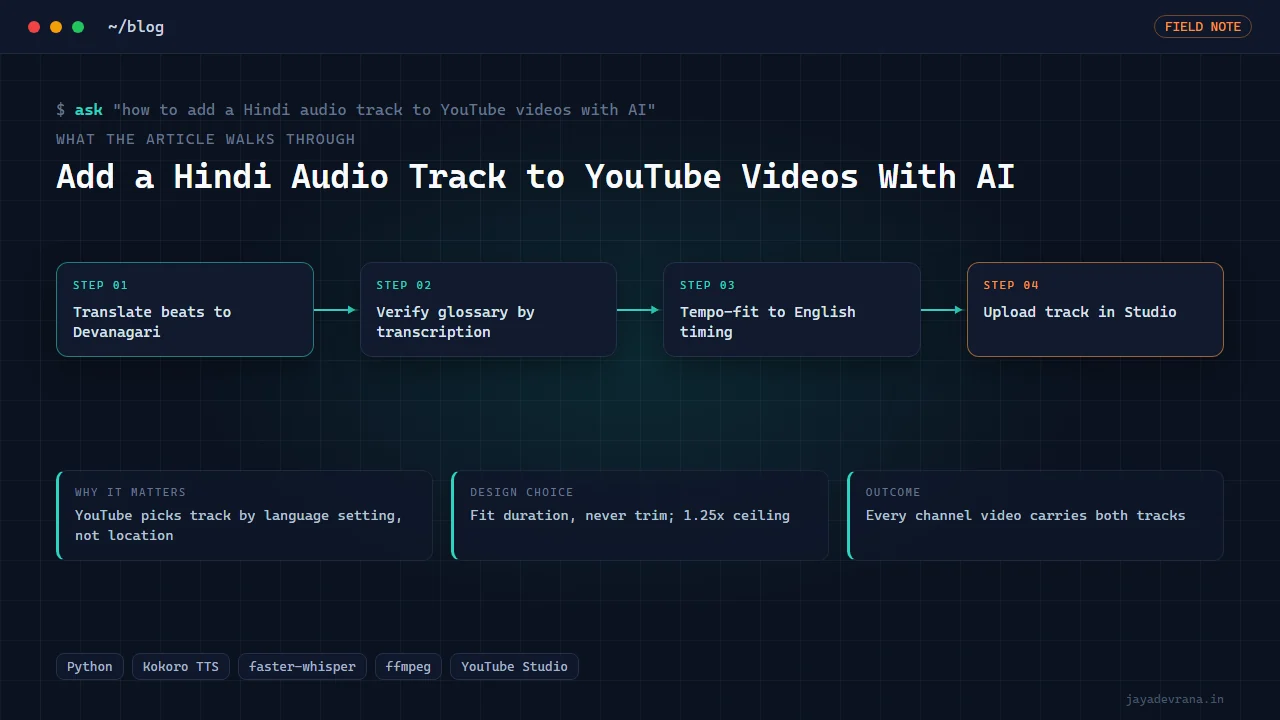
To add a Hindi audio track to YouTube videos with AI you translate the English narration beat by beat, synthesise the Hindi (or Hinglish) lines with a text-to-speech voice, fit each line to the exact duration of its English counterpart, mix it with the original music and effects, and upload the result through YouTube Studio's multi-language audio feature. YouTube then serves the Hindi track to viewers whose interface language is Hindi, regardless of where they live.
I run this for every video on my Pine Script channel, including a back-fill across forty older videos, and the pipeline is entirely scripted. The first version sounded fine and was quietly broken in two ways that only transcription revealed. This post covers the method that works and the traps that do not announce themselves.
How does YouTube choose which audio track to play?
YouTube selects the audio track from the viewer's language setting, not from their location. A viewer in Mumbai with an English interface hears the English track; a viewer in Toronto with a Hindi interface hears the Hindi one. There is no location targeting for audio tracks, so there is no point optimising for geography. What matters is that the Hindi track is labelled with the correct language in Studio and that it is the same length as the video. YouTube offers no trimming or offsetting for secondary audio tracks, which drives most of the engineering below.
Why write the Hindi script in Devanagari, including the English words?
A Hindi voice model applies Hindi phonetics to whatever glyphs it sees. Feed it a Latin-script word like "backtest" or "chart" inside a Devanagari sentence and it will produce something between a mispronunciation and a stutter. The fix is to write everything in Devanagari, English technical terms included, spelled the way a Hindi speaker would say them. Hinglish is the natural register for a technical audience in India anyway: the sentence structure is Hindi, the terminology is English.
That raises a new problem: how do you know your Devanagari spelling of "indicator" actually sounds like "indicator"? You cannot check hundreds of terms by ear. The pipeline keeps a glossary and verifies each entry automatically:
- Synthesise the term inside a neutral carrier sentence.
- Transcribe the audio back with a speech recogniser.
- Compare the transcription to the intended term phonetically, folding similar consonants and applying a similarity threshold rather than demanding an exact spelling match, because strict matching rejects audio that is perfectly clear.
A term that fails gets a new spelling and another round. Once a term passes, every lesson that uses it inherits the verified spelling.
How do you make the Hindi line fit the English timing?
Hindi sentences run longer than English ones for the same meaning, often by a third. Since YouTube will not let you shift or trim a secondary track, each Hindi beat has to land inside the window its English beat occupied. The pipeline fits timing rather than trimming it:
- Every English beat has a known rendered duration from the original narration.
- The Hindi beat is synthesised, measured, and tempo-adjusted to match that duration.
- A hard rule applies: if the required speed-up exceeds 1.25 times, the line is too long and must be rewritten shorter. Beyond that ratio the voice sounds rushed and comprehension drops.
Fitting from rendered durations, not nominal word counts, is the detail that matters. Two sentences of the same length on paper can differ by a second when spoken.
What silent failures should you check for?
The one that cost me a full audit: the voice model stopped synthesising at roughly 24 seconds per request. A 100-word beat came back as its first 60 words, the fitting step saw a comfortable fit, and nothing reported an error. The track sounded natural and simply skipped the end of every long beat. Transcription caught it: comparing the transcribed Hindi against the script showed missing tails. Synthesis is now one sentence per request, and every older track was audited by words per minute to find beats that had been truncated.
The second check is a round-trip on the muxed track: transcribe the finished Hindi audio and compare it beat by beat against the Hindi script. This catches dropped sentences, doubled sentences and alignment drift before anything is uploaded.
A third, cheaper check is a words-per-minute audit across the whole catalogue. Every finished track has a known word count and duration; a beat whose spoken rate falls far below the channel's normal range is almost always missing its tail, and a beat far above it was tempo-fitted past the comfortable ceiling. Running this over forty videos took seconds and found the truncated tracks that had been published before the per-sentence rule existed.
How do you keep the music and effects under the new voice?
The Hindi track must carry the same music bed and sound effects as the English one, or the two tracks feel like different videos. The pipeline keeps the original mix stems where they exist, or extracts a voice-free bed from the English master when they do not, and places the fitted Hinglish beats on top at the same loudness target as the English narration. A final loudness pass brings the whole Hindi track to the same integrated level as the English track so viewers switching languages hear no jump in volume.
How do you upload the track in YouTube Studio?
Studio's multi-language audio flow is in the video's subtitle and audio section. You add a language, upload the audio file, and confirm. My pipeline automates these clicks by reference, and the discovery worth sharing is that the dialog's final Update button is mandatory. Closing the dialog after the upload appears complete silently discards the whole language row. The pipeline waits for the row to show the Hindi label as published, then records that state in a channel-wide inventory so each video's stage (translated, synthesised, muxed, uploaded, verified) is tracked across the back-fill.
How I built this: the Hinglish audio-track pipeline
The Hinglish Audio-Track Pipeline is the system that puts a second track on every video I publish. Its workflow per video is:
- The English narration beats (already timed from the original render) are translated into Devanagari Hinglish, keeping English technical terms in Devanagari spelling.
- Each glossary term is verified by synthesis, transcription and phonetic comparison; new terms are added as lessons introduce them.
- Every sentence is synthesised as its own request with a local Hindi voice, then each beat is tempo-fitted to its English duration under the 1.25x ceiling.
- The track is muxed against the video length and QA'd by round-trip transcription.
- The Studio upload adds the Hindi audio, presses the mandatory final Update, and confirms the row is live.
- The inventory marks the video verified; a back-fill job walks older videos through the same stages.
Design decisions: Devanagari for everything, phonetic rather than exact glossary matching, fitting instead of trimming, one sentence per synthesis request, and transcription as the gate at every stage. The outcome is a channel where every video carries both tracks and a back-fill across the catalogue that was audited rather than assumed. The narration tooling is shared with my automated lesson recording pipeline.
FAQ
Does a Hindi audio track help views?
It makes the video available to viewers with a Hindi interface who would otherwise bounce. I do not make traffic claims beyond that; the honest measure is watch time from Hindi-interface viewers in analytics, which you can only see after the track exists.
Can I use an automatic dubbing feature instead?
YouTube's own auto-dubbing exists for some channels and languages. It gives you no control over terminology, and for a technical channel the term pronunciation is the whole problem. A scripted pipeline lets you own the glossary and the pacing.
Why Hinglish rather than pure Hindi?
Because that is how the audience speaks about this subject. A pure Hindi translation of "moving average crossover" sounds like a textbook; the Hinglish version is what a trader in Indore would actually say. The Devanagari spelling approach handles the mix cleanly.
How long does one video take to dub?
Translation and synthesis are minutes for a ten-minute video. The time goes into glossary verification the first time a batch of new terms appears, and into the round-trip QA, which is automated but worth reading when it flags a beat.
If you want a second-language track pipeline for your channel, tell me about it on the contact page.
Building something in this space? I ship trading automation, Pine Script, MQL5 EAs, and full-stack tools with source and docs.
Start a project →