How to Automate a BankNifty Strategy With a Live Dashboard (2026)
How to automate a BankNifty options strategy with a live dashboard: rule engine, morning broker login, lot size from the scrip master, arm/disarm, deployment.
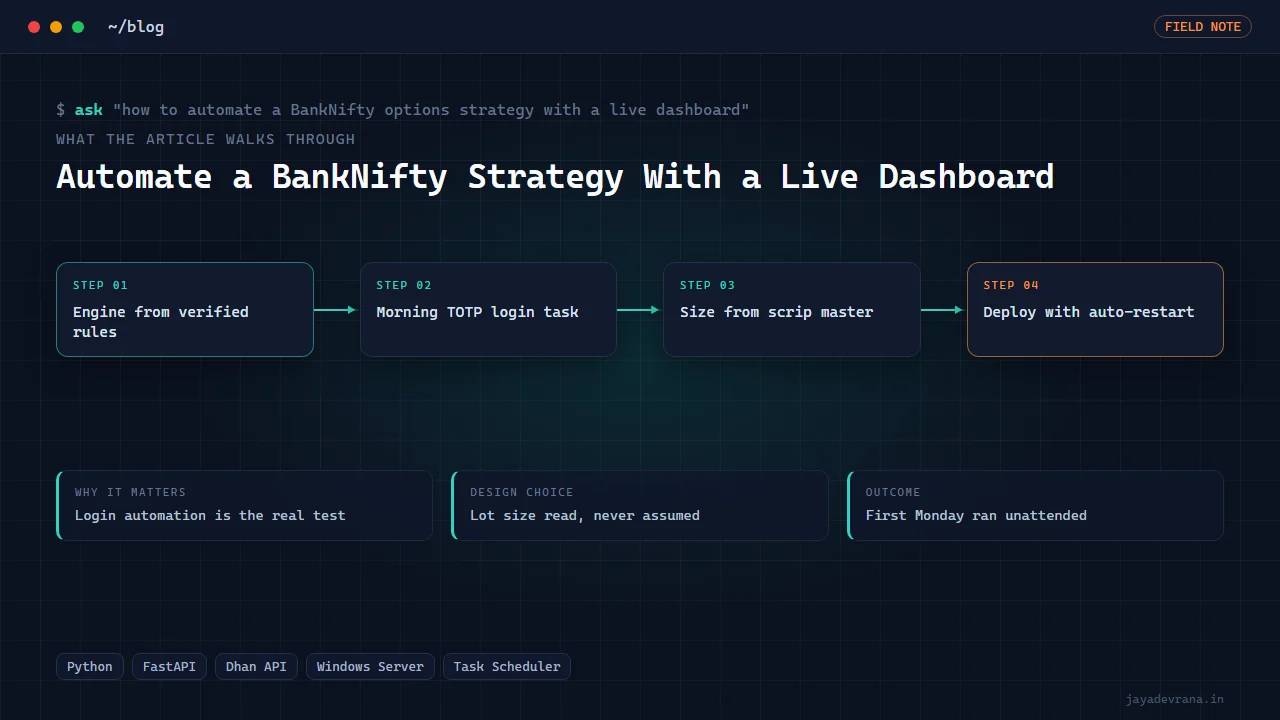
To automate a BankNifty options strategy with a live dashboard you need five pieces working together: a rule engine that evaluates the strategy on BankNifty futures or index candles, a broker session that logs in every morning and stays valid through the day, an order layer that sizes positions from the exchange's current lot size and places them on the correct contract, a web dashboard that shows positions and profit and loss and lets you arm or disarm the system, and a deployment that survives reboots on a server you do not have to babysit. Miss any one and you have a backtest with a login page, not an automation.
The strategy logic is usually the smallest part. In the client build I describe below, the four-rule Top-Bottom system was already decoded and verified in Pine before automation started; what took the time was unattended broker login, a lot-size bug, a broker that splits data and trading entitlements on the same token, and a Windows server with no Python, the wrong timezone and only remote desktop open. This post walks through each piece of BankNifty strategy automation and then how I built the live dashboard.
What should the rule engine do, and what should it not do?
The engine's job is to turn candles into decisions and nothing else. It pulls BankNifty futures or index candles at the strategy's timeframe, evaluates the entry and exit rules on each completed candle, and emits signals: enter long, enter short, exit, stay flat. It should not know how to log in to a broker, how big a lot is, or how to place an order. Keeping it pure means you can test it on recorded candles and compare its signals with the Pine version bar by bar, which is the only way to know the automation trades the strategy you verified and not a cousin of it.
For a system defined by a handful of rules, I write the rules as a numbered specification first, implement each as a named check, and log which rule fired on every signal. When the client asks "why did it go short at 11:05", the answer is a rule number and the candle values, not a shrug.
How do I keep the broker session alive without sitting at the screen?
Indian brokers expire sessions daily and most require a time-based one-time password at login. For a system that must be ready before 9:15 every weekday, that means a scheduled task that runs the login flow each morning, completes the one-time password step from a secret held on the server, stores the day's token where the engine can read it, and records success or failure somewhere a human will see it. The first unattended Monday is the real test; if the dashboard comes up with live data without anyone touching it, the login automation is done.
One broker-specific trap: some brokers issue a single token that carries separate trading and market-data entitlements. A token can be valid for orders while the data subscription has lapsed, so "login succeeded" is not a sufficient health check. Verify that candles actually arrive before arming the engine.
Why must lot size come from the scrip master?
Because BankNifty's lot size changes. Exchanges revise index derivative lot sizes periodically, and a hard-coded value is correct until the day it is not. The failure is subtle: orders go through, but the quantity the engine thinks it holds and the quantity the broker reports disagree, and the dashboard's profit and loss drifts from the broker's. In the build below this happened once and became a standing rule: read the lot size from the broker's scrip master at startup, and size every order in multiples of that value.
The same discipline applies to the contract itself. Monthly and weekly expiries, the current futures month, and the option strike ladder all come from the instrument master, never from a formula in the code.
What does the live dashboard need to show?
The minimum for a system that places real orders:
- Session state. Whether today's broker login succeeded and whether market data is flowing.
- Engine state. Armed or disarmed, the current rule evaluation, the last signal and which rule produced it.
- Positions and P&L. Pulled from the broker, not computed from the engine's belief, and reconciled against the engine's view with any mismatch highlighted.
- Arm/disarm and flatten. Controls to stop new entries, and to close everything now. Behind a password, because the dashboard is on the internet.
- Log. Every signal, every order request and every broker response, with timestamps, scrollable from the page.
A dashboard that only shows a profit number is a toy. The arm/disarm control and the reconciliation are what let a client trust it on day two.
How do I deploy it on a server I do not control?
Clients often want the system on their own cloud server, and that server is rarely prepared. A practical sequence:
- Get a shell. If only remote desktop is open, install an SSH server through it so everything after can be scripted.
- Fix the basics. Set the timezone to the exchange's, install the runtime, confirm outbound access to the broker's endpoints.
- Copy the application over whatever channel exists, drive redirection over the remote desktop session if that is all there is.
- Create two scheduled tasks: one that starts the dashboard service at boot with automatic restart, and one that runs the morning broker login on weekdays.
- Reboot and watch it come back on its own before handing over.
The software is the same on a laptop; the deployment is what turns it into something that runs while the client sleeps. This is automation engineering, not financial advice: the system places live orders for the account holder, who trades at their own risk.
How I built this: TopBottom BankNifty Live Dashboard for a Client
The TopBottom BankNifty live dashboard came after the client's four-rule Top-Bottom system had been decoded and verified in Pine. He wanted it live, with orders, on his own Windows server. The build reused an engine shell I had proven on an earlier natural-gas automation, with the Top-Bottom engine swapped in and Dhan as the broker, chosen because it was the only broker whose order-placement code was already battle-tested in-house. The workflow:
- Engine from the verified rules. The four rules became named checks over BankNifty futures candles, logging which rule fired, so the automation could be compared against the Pine version.
- Morning login task. A scheduled task performs the Dhan mobile, one-time-password and PIN login each weekday morning and stores the day's token for the engine. The first Monday it logged in unattended and came up with live data without anyone touching it.
- Orders sized from the scrip master. After order sizing and P&L briefly disagreed, lot size was moved from an assumption to a value read from the scrip master at startup. That is now a standing rule across my broker work.
- Separate entitlement checks. Because Dhan splits trading and data entitlements on the same token, the health check verifies the data subscription independently before the engine is armed.
- Password-gated dashboard. A FastAPI application serves positions, P&L, the rule log and arm/disarm controls behind a password, with Playwright used to verify the pages and the login flow end to end.
- Deployment over remote desktop. The client's Windows Server had no Python, the wrong timezone and only RDP open. I installed OpenSSH through the session, copied the application over RDP drive redirection, and created two scheduled tasks: serve the dashboard at startup with auto-restart, and run the morning login.
The design decisions were reuse over novelty (a proven engine shell), the broker chosen for tested order code rather than feature lists, and lot size and entitlements verified from live sources rather than assumed. The outcome is a system that logs itself in, trades the verified rules, shows the client exactly what it is doing, and restarts on its own. The engine shell itself is described in the context of alert automation in how I connect TradingView alerts to a broker, where the same persistence and dedupe ideas appear.
FAQ
Can I run the same setup on NIFTY or FINNIFTY?
Yes. The engine takes the underlying and timeframe as configuration, and the lot size, expiry and strikes come from the scrip master, so switching index is a configuration change plus a fresh verification run against the strategy's Pine version on the new symbol.
Which broker is best for BankNifty automation?
The one whose API you have already placed and cancelled orders through under load. Feature comparisons matter less than tested order code, documented rate limits and a login flow you can automate. In this build Dhan was chosen for exactly that reason.
What if the server reboots during market hours?
The dashboard service is a scheduled task set to run at startup with automatic restart, and the engine reads the day's token from disk, so it comes back armed or disarmed as it was. Open positions are the broker's record, so the dashboard shows them correctly after restart; the reconciliation view highlights anything the engine did not expect.
How do I know the automation trades the same strategy as my Pine script?
Run both on the same recorded candles and compare the signal list bar by bar before going live. The engine logs which rule fired on each signal, so a mismatch points directly at the rule that differs.
If you have a verified strategy and want it running live with a dashboard on your own server, tell me about it on the contact page.
Building something in this space? I ship trading automation, Pine Script, MQL5 EAs, and full-stack tools with source and docs.
Start a project →