A Pine Script indicator can look perfect on a chart and still fail live if the plotted signal, alert condition, timeframe request, and candle confirmation do not match.
When a trader says an indicator looks right but fails live, I do not assume the trader is wrong and I do not assume the code is broken. I recreate the exact path: what the chart showed, what the condition calculated, what the alert fired, and what happened after the candle closed.
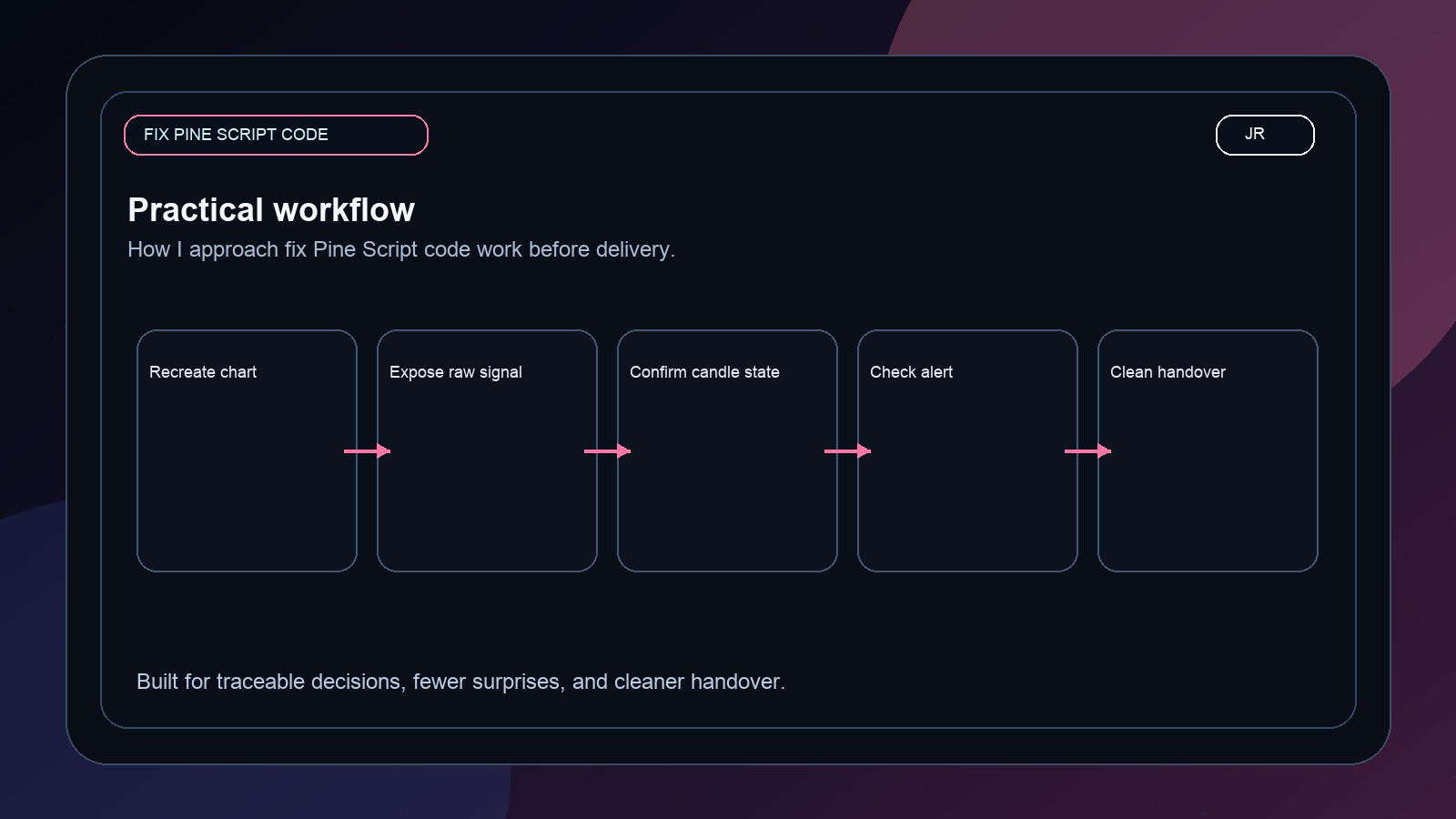
My debugging sequence
I first separate visual plotting from signal logic. A plot can look correct while the alert condition is using a different series, a different timeframe, or an intrabar value. Then I add temporary debug plots so the script exposes its own decisions.
//@version=6
indicator("Signal debug overlay", overlay = true)

ema20 = ta.ema(close, 20)
ema50 = ta.ema(close, 50)
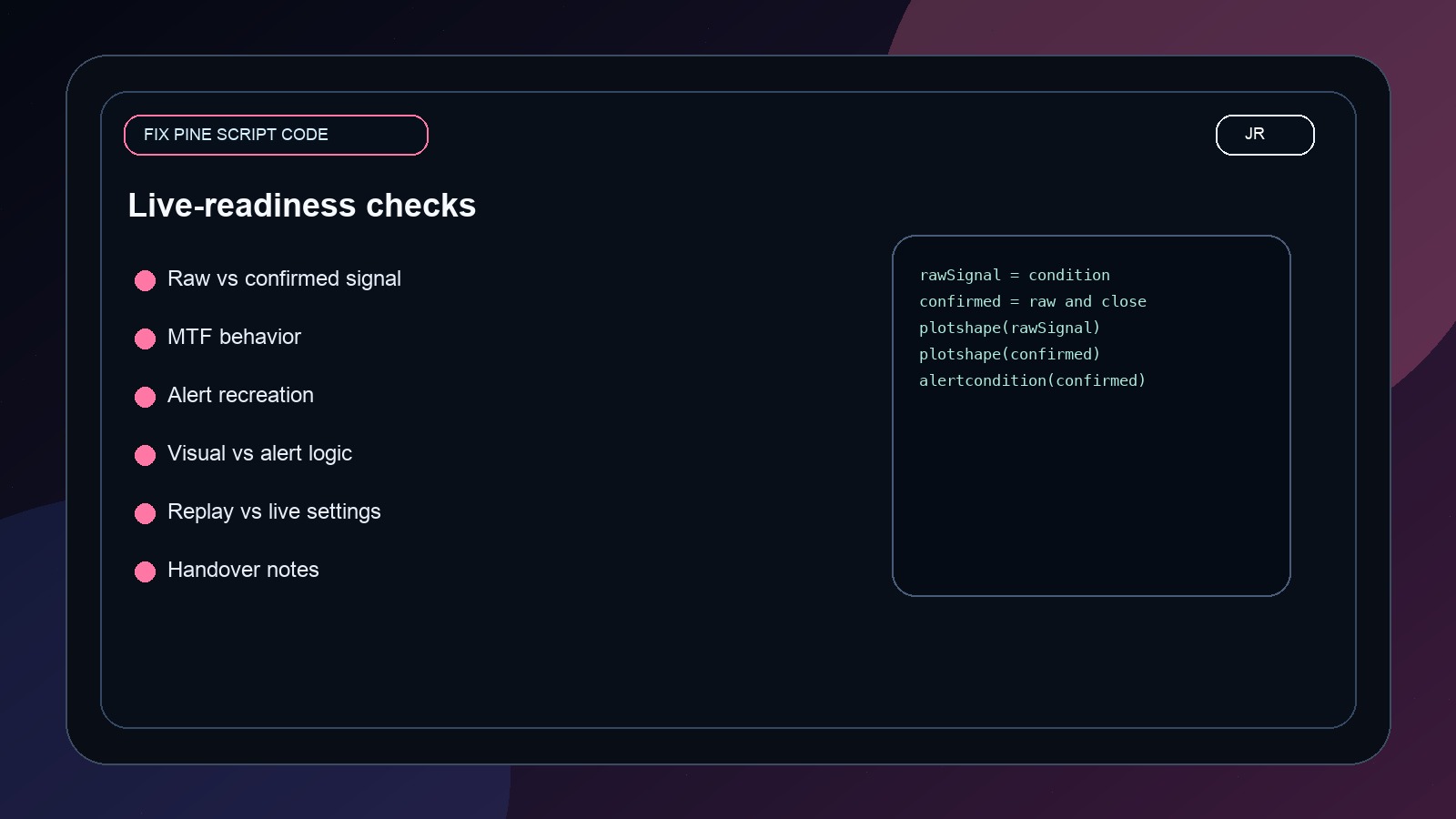
rawSignal = ta.crossover(ema20, ema50)
confirmedSignal = rawSignal and barstate.isconfirmed

plot(ema20, "EMA 20", color = color.teal)
plot(ema50, "EMA 50", color = color.orange)
plotshape(rawSignal, "Raw signal", shape.circle, location.belowbar, color = color.gray, text = "raw")
plotshape(confirmedSignal, "Confirmed signal", shape.triangleup, location.belowbar, color = color.lime, text = "ok")

alertcondition(confirmedSignal, "Confirmed buy", "Confirmed buy on {{ticker}} at {{close}}")Where the truth usually appears
- The raw signal appears intrabar but disappears before candle close.
- The MTF request uses a value that changes while the higher timeframe candle is open.
- The alert was created before the latest code was saved and re-added.
- The script uses visual labels but the alertcondition uses older logic.
- The trader is comparing replay behavior with live alert behavior without matching settings.
Why this matters for paid builds
A professional Pine Script developer should not hide behind pretty charts. If the signal fails live, the developer should be able to explain why. That is the standard I use for Jayadev Rana projects: visible assumptions, debug-friendly code, and alerts that match the actual trading decision.
Ask Jayadev Rana to debug your Pine Script signal
For more proof, open the Work section and review the public scripts and TradingView-style builds.
Send the chart idea, market, timeframe, and goal on WhatsApp. I can usually tell you quickly whether the next step is a custom Pine Script build, a strategy audit, or a broker-ready automation layer.
Related services
Frequently asked questions
Can Jayadev review my existing script?
Yes. Send the current Pine Script, a chart screenshot, and what you expected it to do live.
Will the code be Pine Script v6?
For new TradingView work, I prefer Pine Script v6 unless the client has a strong reason to maintain an older version.
How fast can I get a quote?
For clear requirements, I can usually give a fixed-price quote within 24 hours.
Primary sources and references
I take on Pine Script indicators, TradingView automation layers, strategy audits, and broker-aware execution workflows when the goal is clear and the live behavior actually matters.